Load data into process storage
To analyze and discover process data in ARIS Process Mining, you must first load the data into the process storage of a data set. When you create a data model, change its settings, or add new data, you must load the new or changed data and data configuration into the process storage.
Prerequisite
You have configured a data model.
Click
 Run pipeline at the bottom of the Data set panel.
Click Load data. The Run data load dialog opens.
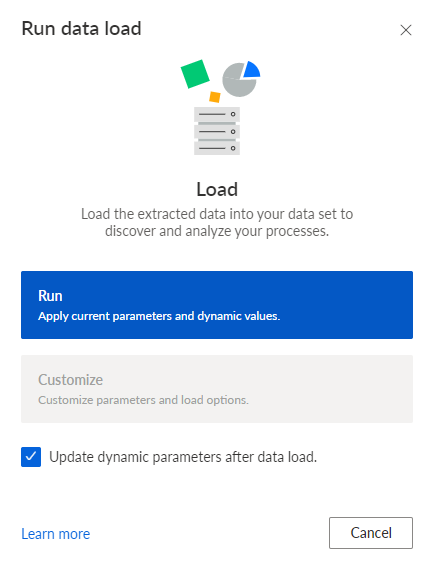
You can specify parameter values to filter the data that will be loaded. The option is available if you have set parameters in the transformation definition. The dialog provides the parameters set in the transformation.
Click Customize.
Specify the parameter values.
Click Execute.
Click Run to load the data and data configuration.
ARIS Process Mining loads the source data into the process storage of the data set. You can check the running data load in the Run log section. After the source data is loaded, the process data is ready for your analyses. You can view the process data in the Analysis model section.
After loading the data, the values of the dynamic extraction parameters are updated by default to the latest value of the loaded data. The next extraction starts with these values. The Update dynamic parameters after data load option is enabled by default. The option is available if dynamic extraction parameters are specified. If you disable this option, the next extraction starts with unchanged parameter values.