Pseudonymize data during data extraction
You can pseudonymize data during the data extraction process. To do this, specify the columns in the data table that contain the data to be pseudonymized. After the extraction process, the extracted column data is pseudonymized and not visible in ARIS Process Mining.
For pseudonymization, the extractor uses the same SHA2 algorithm as used for transformation. If the default length (256 bit) is used for transformation, the results of the pseudonymized columns are the same for both extraction and transformation.
Prerequisites
You have configured a data extraction for an SAP ® system or a JDBC database.
Add the tables and columns you want to extract from the source system, for example, add tables to a JDBC extraction.
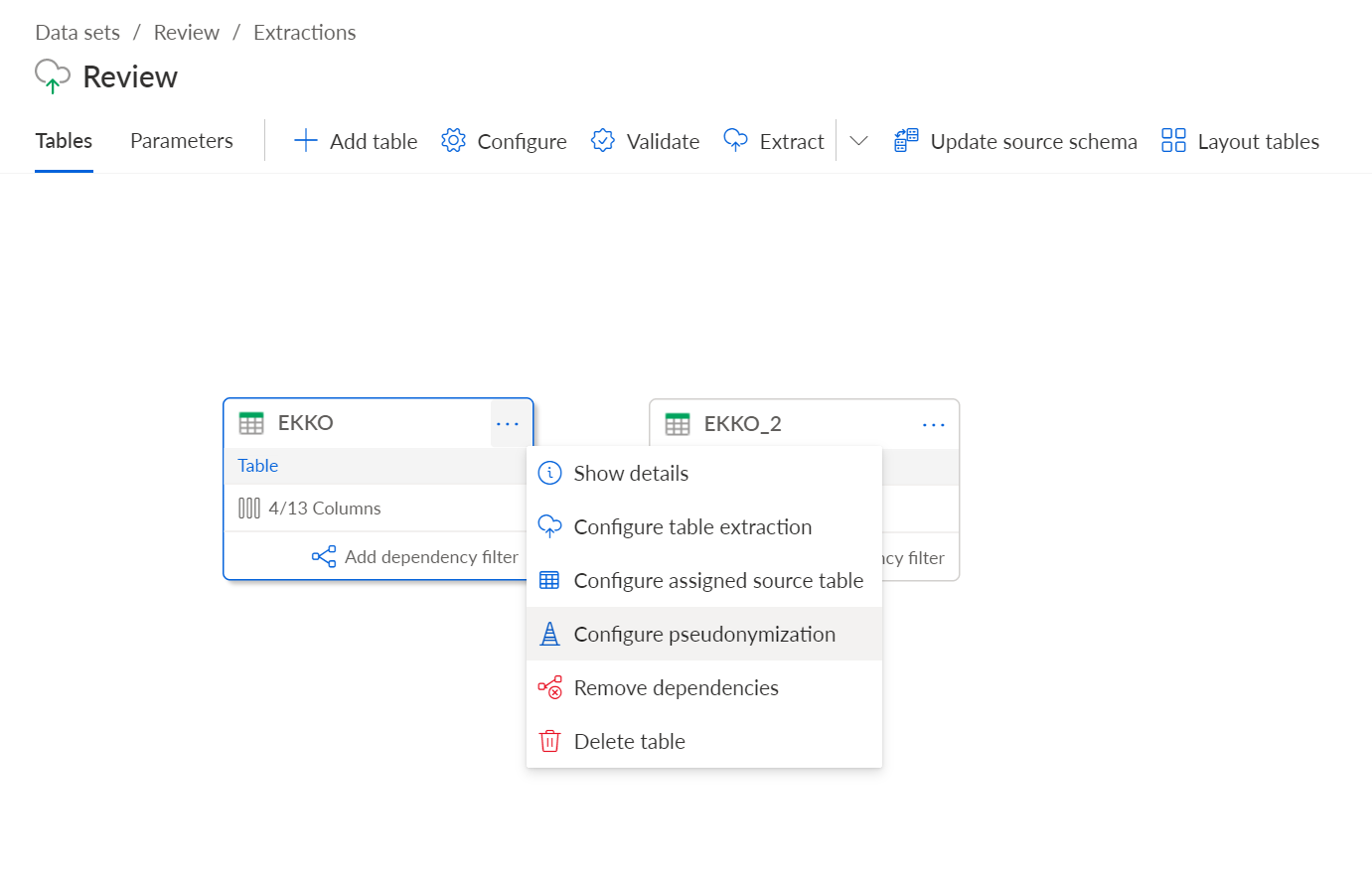
Click the ... More options button of an added table and select Configure pseudonymization. The dialog to configure the pseudonymization opens.
Select the columns containing the data you want to pseudonymize.
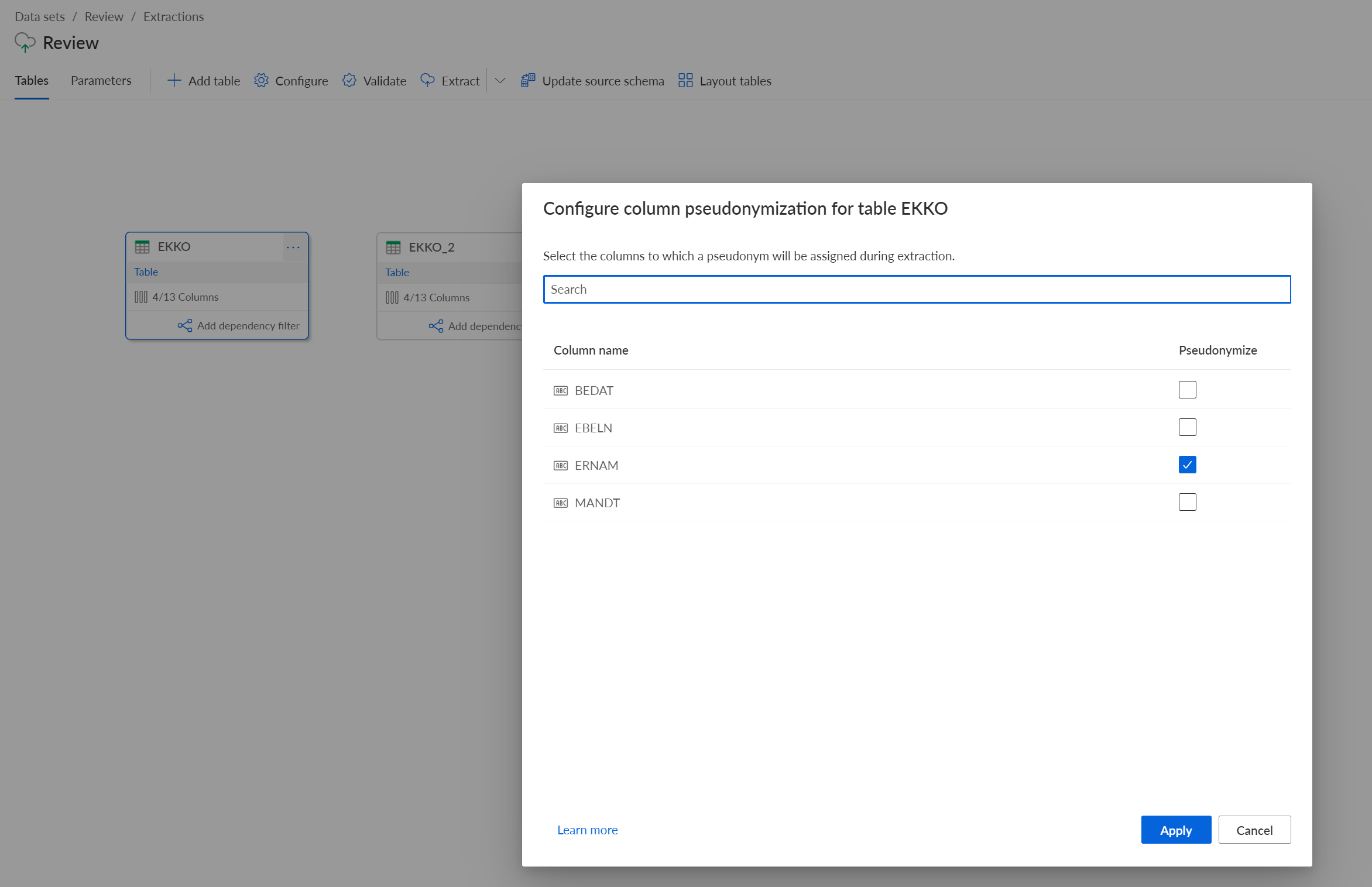
Click Apply.
You specified the columns containing the data to pseudonymize.
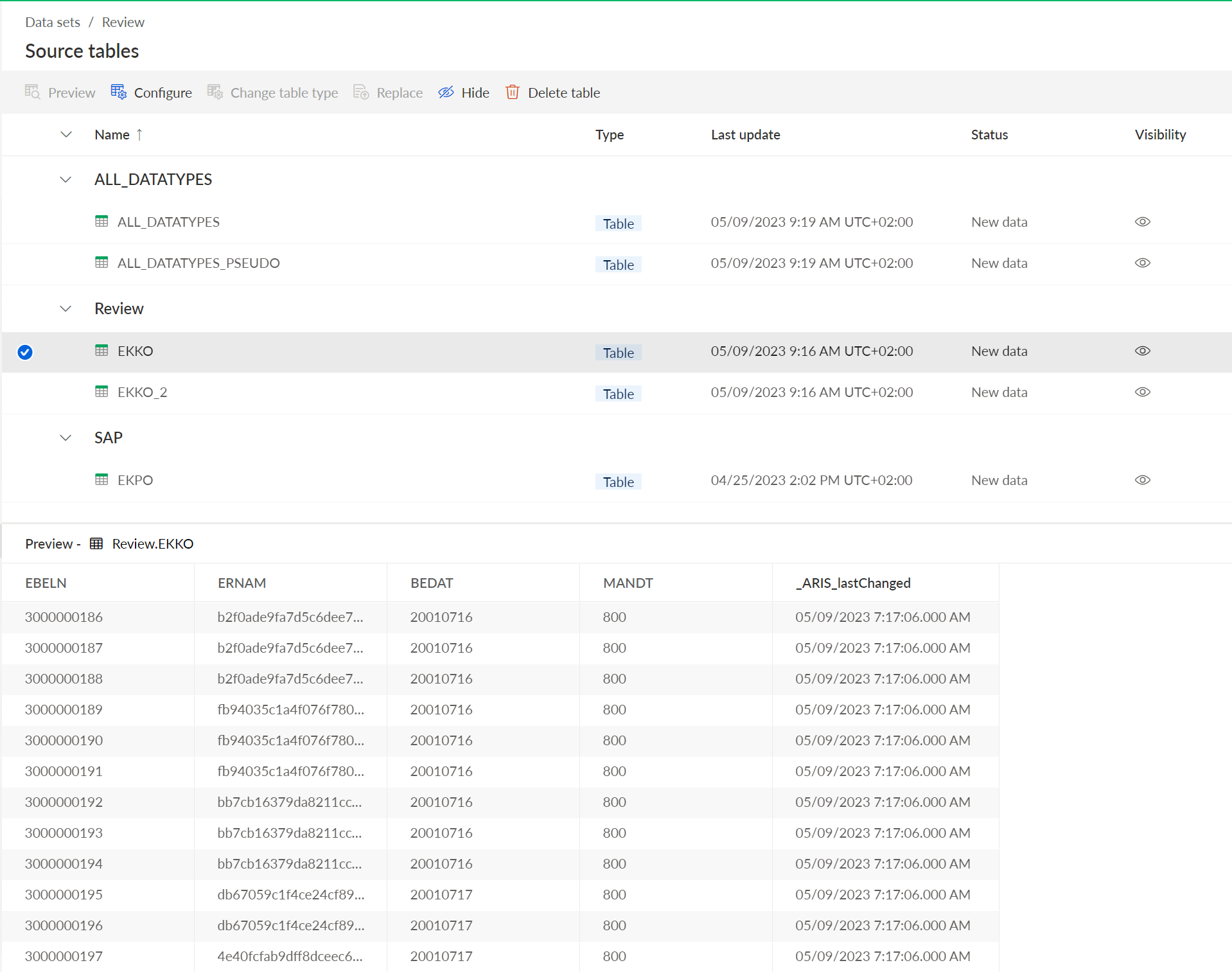
You can now start the extraction process and view the extracted data in the extraction preview.
Preview of the extracted EKKO data table with the ERNAM column containing the pseudonymized data.