Update source data
You can update the data stored in the source tables of a data set. In this process, the existing data is updated incrementally with newly uploaded data. Incremental updating of a source table can, on the one hand, massively reduce the upload time when uploading very large data sets, and on the other hand, data that has not been updated remains in the data set for future analyses.
When updating a source table, the existing source table and the uploaded data are merged. This means that only individual records in the source table are replaced with actually changed records and new records are simply appended to the table.
Updating the data of an incremental table can involve changes to the schema of the source table.
To update a source table, the table type must be Incremental table. When you specify a source table as Incremental table, you must specify at least one merge key that is used for updating the table.
Click Source tables in the Data set panel. The Source tables section opens.
Change the table type to Incremental table if required.
Select the table to be updated.
Example
The Box_csv source table of Incremental table type is selected and the Update option is available.
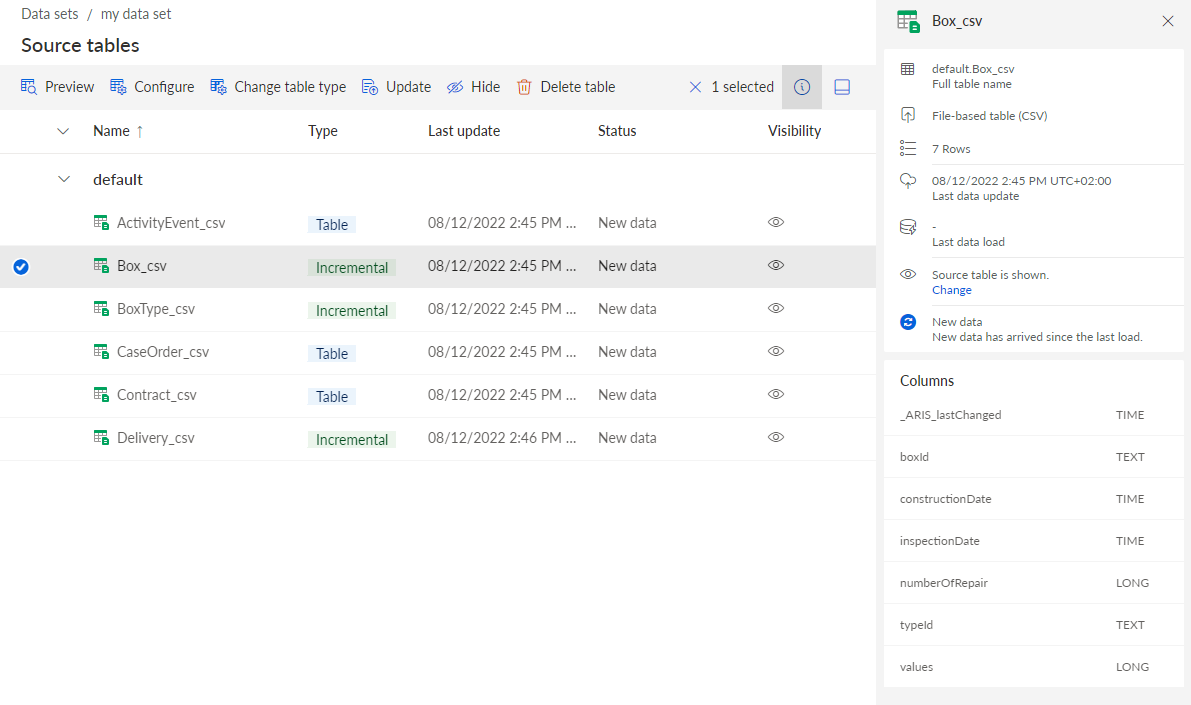
Click Update.
Select the CSV file to update the existing source table, for example, the Box_update.csv file. The selected file is uploaded to the data set.
You can configure the data when uploading. The wizard to configure the uploaded data displays only the new and updated data.
Example
Updated the source table Box_csv data, replacing Box-1 and adding Box-7.
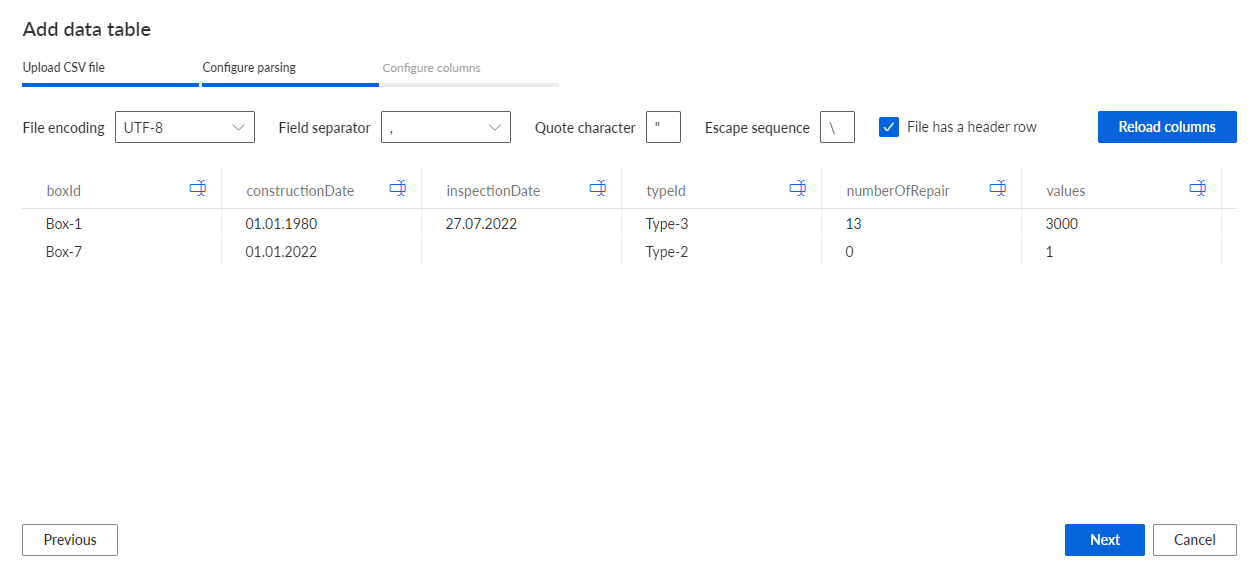
The data of the selected source table is updated.
If you have already configured the data model and loaded the data into the process storage, you must refresh the data model and reload the changed data into the process storage.
For this example, the BoxType_csv and Delivery_csv tables must also be updated with the BoxType_update.csv and Delivery_update.csv files. The BoxType_update.csv file contains additional data of the updated Box-1 and Box-7. The Delivery_update.csv file is required to connect the new record of Box-7 to the corresponding case in the CaseEvent_csv table. Only data that is connected to cases and activities is available in the analysis model after the data load.