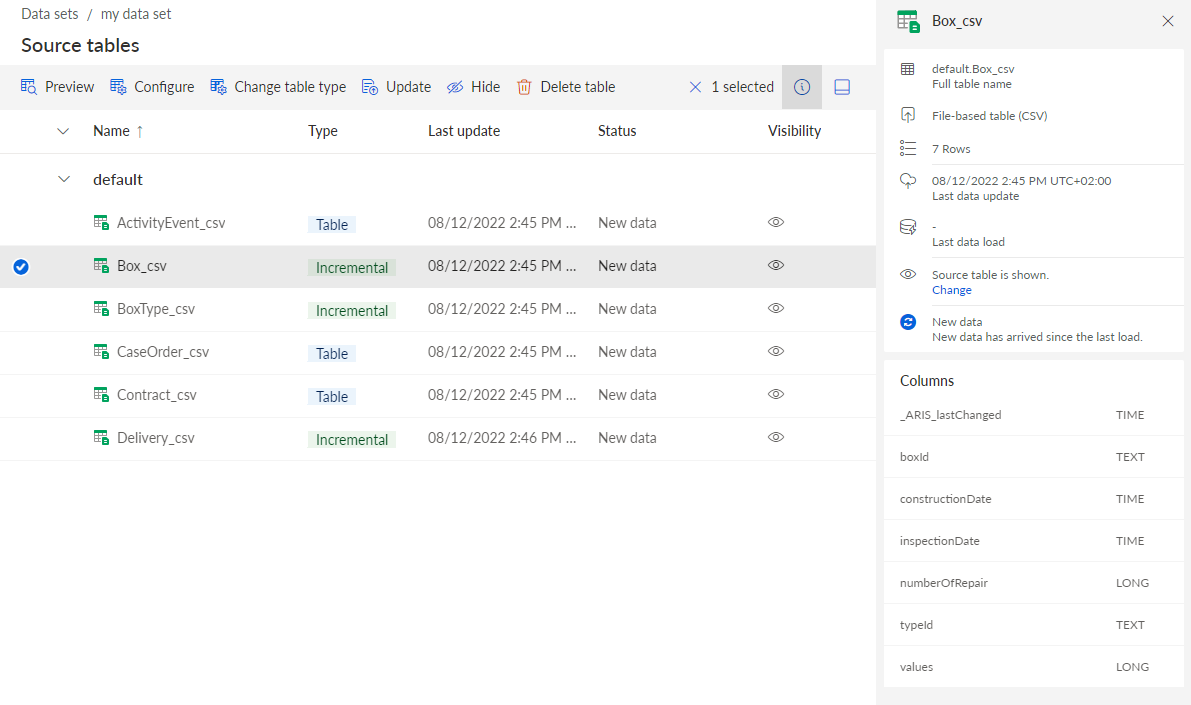
Change the table type
You can change the table type to Incremental table if required. By default, the created source tables are of Table type. The table type is relevant if you want to replace or update the uploaded source data.
For table of Table type, only the Replace option is available. This replaces the entire table by the newly uploaded table. If you change the type to Incremental table, the Update option is provided instead of the Replace option. In this case, the existing source table and the uploaded data are merged. That is, only individual records in the source table are replaced with actually changed records and new records are simply added to the table.
A merge key is required for an incremental update. The merge key is used to replace only the records in the source table that have actually changed.
Click Source tables in the Data set panel. The Source tables section opens.
Select the source table for which you want to change the table type.
Example
The Box_csv source table of Table type is selected.
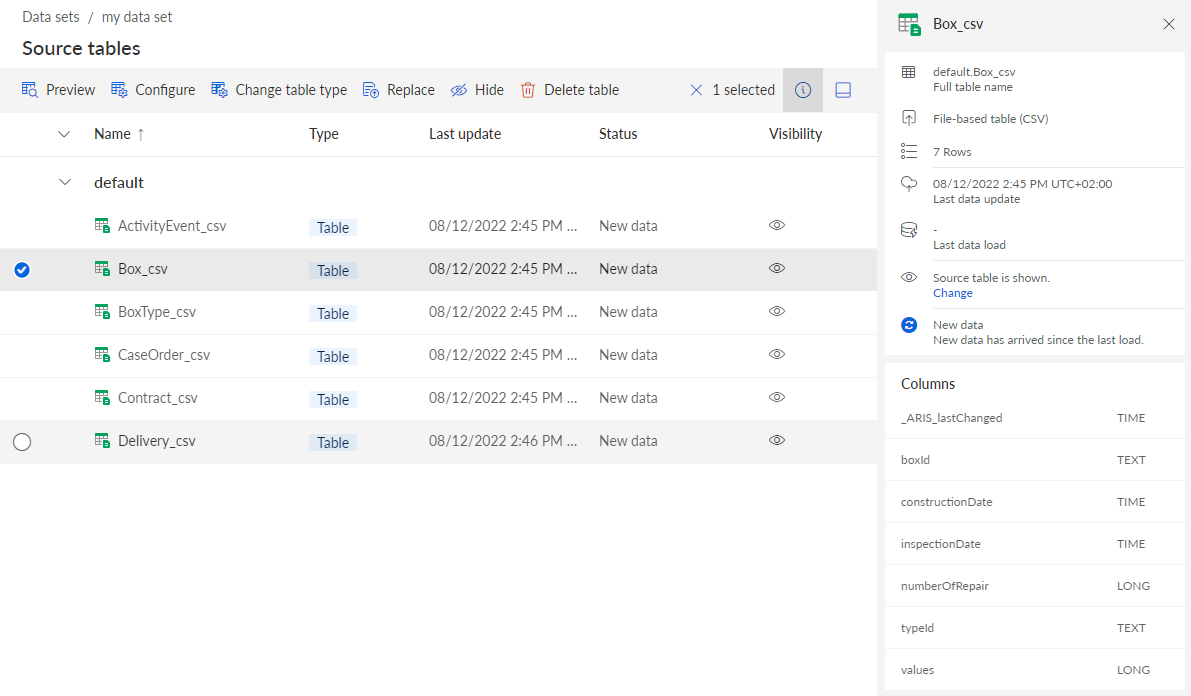
Click Change table type and select a table type.
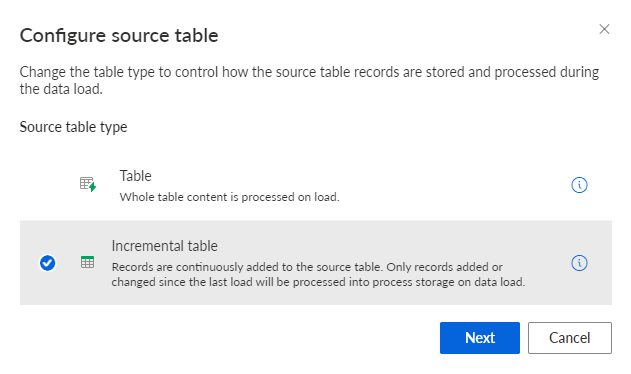
If you change from Incremental table to Table type, click Change.
If you change from Table to Incremental table type, click Next.
Select a merge key to be used for incremental update. You can select several columns used as merge keys.
Example
The boxId column is selected as merge key.
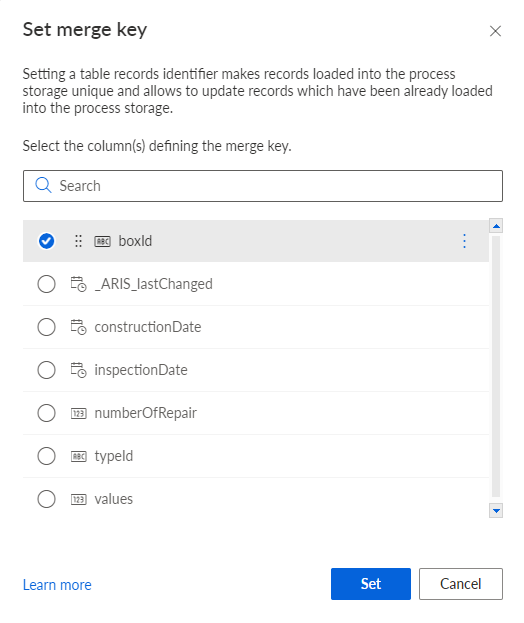
Click Set.
The table type is changed.
You can now update the source table data using the selected table type.
Changed table type from Table to Incremental table.