Use a compliance rule in the analysis model
You can provide a compliance rule in the analysis model as an additional field that you can use as any other field in the analysis, for example to define a calculated field, create an insight trigger, or use it as an analysis criterion in an analysis outside the Compliance app.
Prerequisite
You have created a compliance rule.
Open the data set for which you have created the compliance rule.
Click Compliance on the data set panel. The Compliance section opens with the Conformance page.
Click Rule checks. The page to manage compliance rules opens.
Click a compliance rule. The corresponding page opens.
Click
 Activate to enable the rule if not already done.
Enable the Add rule results to analysis model option.
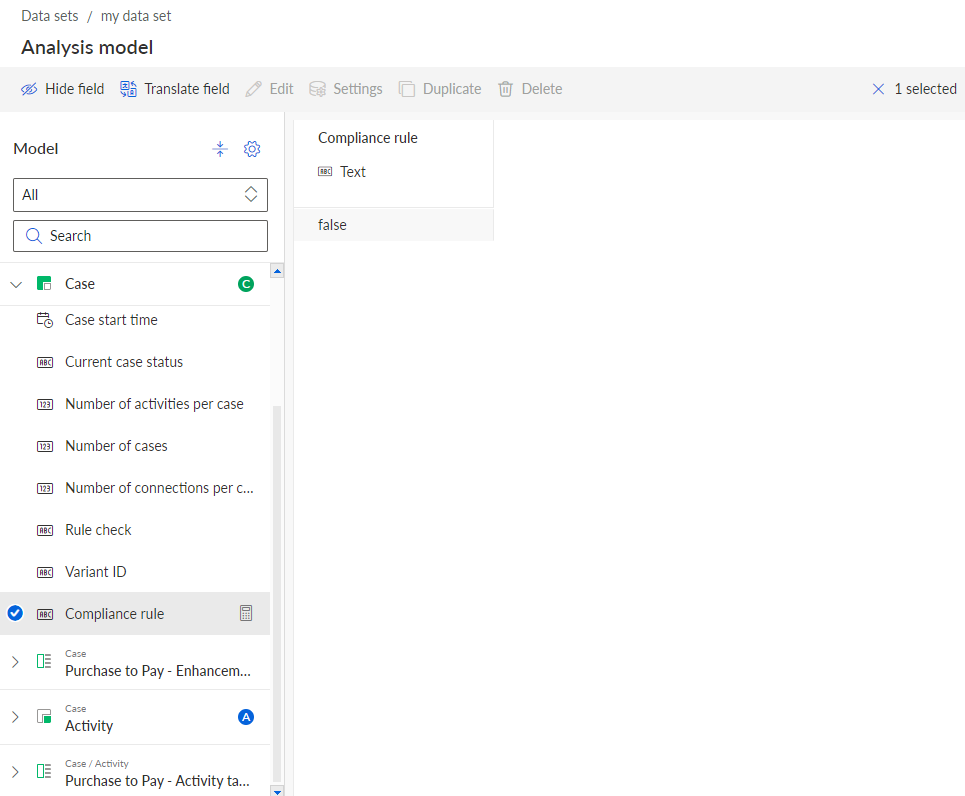
You have enabled the use of the compliance rule in the analysis model. The compliance rule is now available as calculated field ( ) in the analysis model.
You can translate the name of the calculated field (the field name that is used in analyses). But this name is independent of the rule name that appears in the rule configuration and the Compliance app.
The compliance rule is listed as a calculated field () under the Case object in the analysis model.