Activate a compliance rule
You must explicitly activate the compliance rule for it to be applied. Only activated rules are available in your analyses.
The activated compliance rule is available in the list of compliance rule issues in the Compliance app. You can push an issue with a specific rule as a filter from the Compliance app.
You can also use the compliance rule as a symptom in root cause mining.
Open the data set that contains the compliance rule.
Click Compliance on the data set panel. The Compliance section opens with the Conformance page.
Click Rule checks. The Rule checks page opens.
Click a compliance rule. The page of the compliance rule opens.
Click
 Activate.
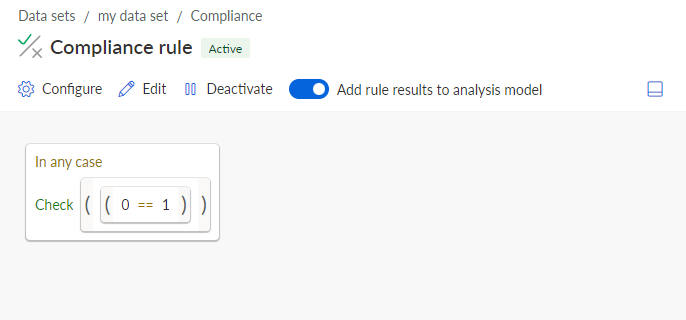
The compliance rule is activated for your analyses.
To disable the rule, click  Deactivate.
You can make the activated rule available in the analysis model as an additional field.
Activated compliance rule including a rule condition.