Combining filters
You can combine different level filters, such as project filters, analysis filters, or app filters, with each other and with ad-hoc filters. At each level, the filters of the parent levels are automatically applied by default. The filters are logically combined with the AND operator. That is, only the cases matching all filters are mentioned in the analyses.
You have added a filter to an analysis, an analysis app, and an app component. In this case, two filters are applied to the app: the analysis filter and the app filter, and three filters are applied to the component: the analysis filter, the app filter, and the component filter.
Level filters are stored permanently, whereas adhoc filters are temporary and are removed when you reset the filter settings.
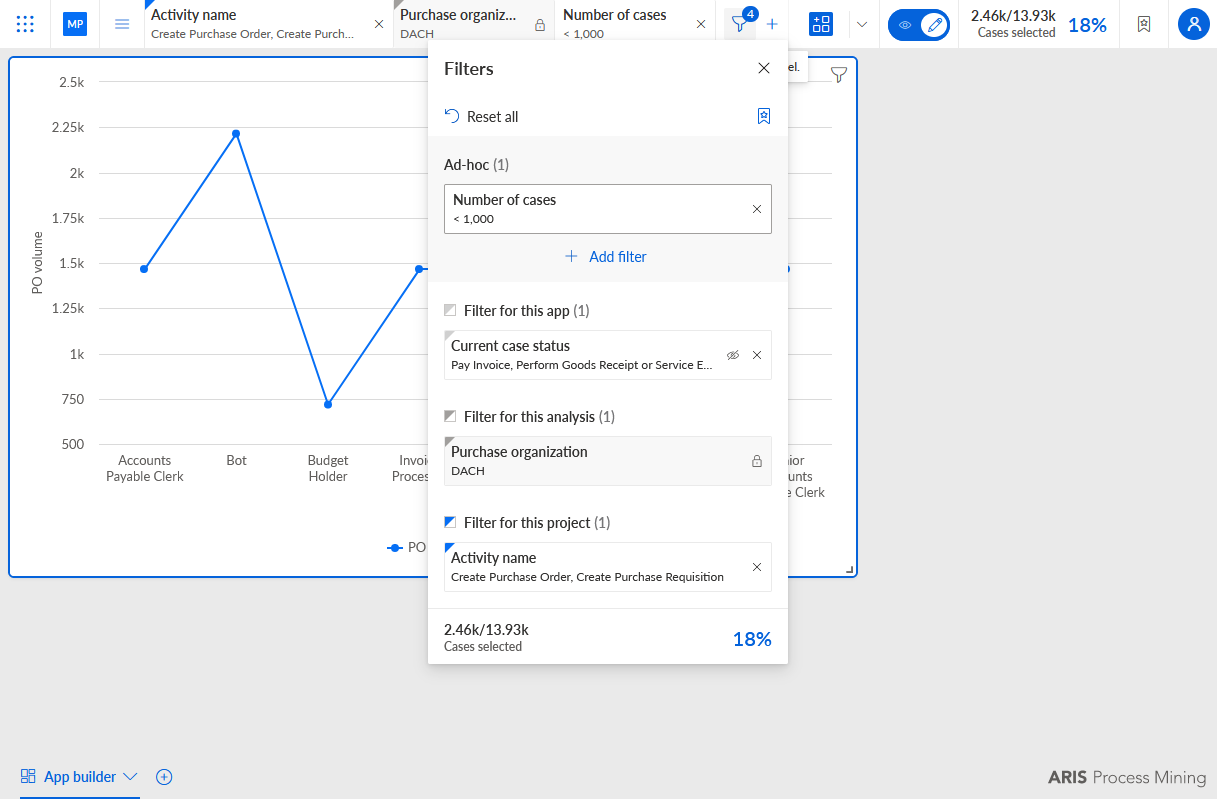
All filters, except the app component filter, are listed in the Filters panel of an analysis. Component filters are displayed only in the Filters panel of a component (see below). Level filters that are set to be displayed are also displayed in the analysis header. By default, project filters and analysis filters are set as hidden ( ). Level filters are indicated by rectangles in different colors.
In general, you can select the filter values of each filter in an analysis. However, project filters and analysis filters are locked ( ) by default. That means, you cannot select the values of these filters. You can unlock level filters in their filter settings. To specify the filter values of any filter in the analysis, click the filter and select the values to filter.
The analysis includes four filters: three level filters (a project, an analysis, and an app filter) and one adhoc filter. The app filter is hidden (), that is, not displayed in the analysis header. The analysis filter is locked (), that means, the values are not selectable.
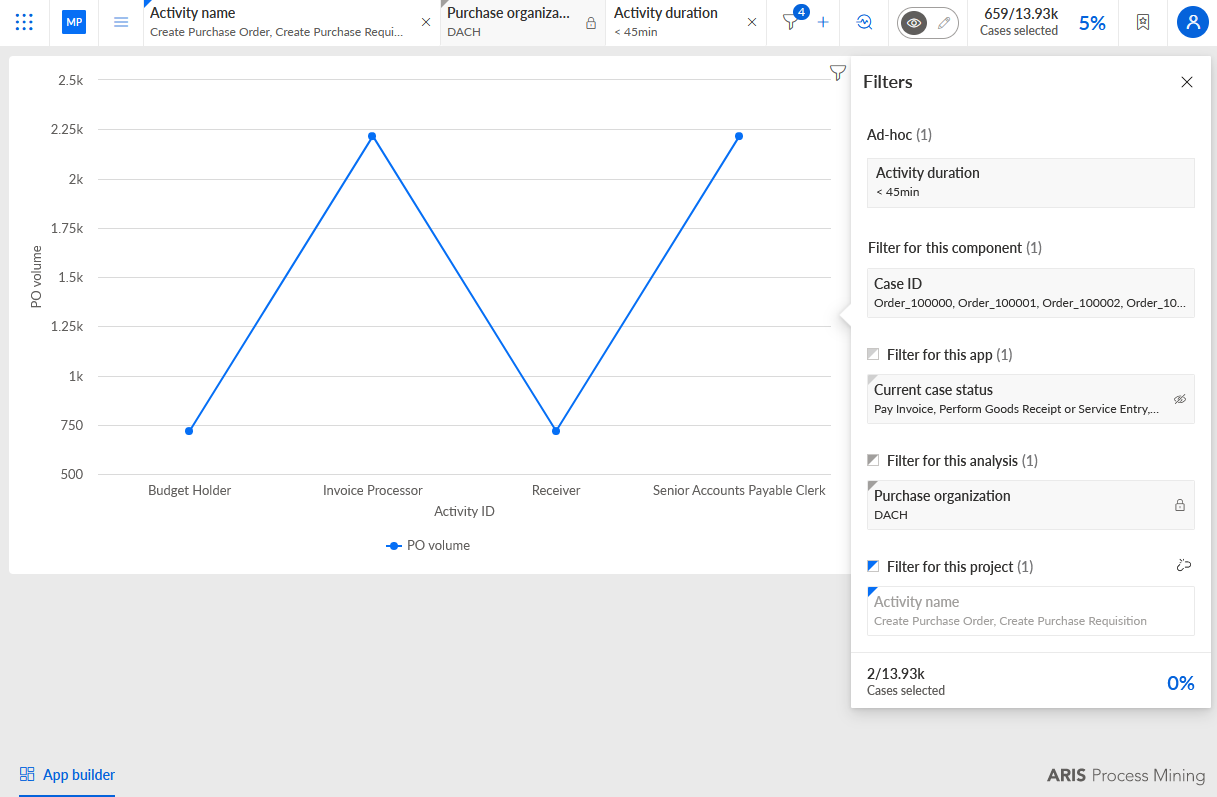
App component filters are displayed only in the corresponding Filters panel. You can display the filters specified for an app component by clicking the  Open the filter panel icon in the upper right corner of the component. The icon is displayed if a filter is created for the component, one or more level filters are detached, or an adhoc filter must be ignored.
The Filters panel of the component includes the filter specified for the component in addition to the other four filters. The  Detached icon of the project filter indicates that this level filter is detached from the component filter.