Assign criteria to an app component
Before you can analyze data in an app component, such as a line chart, you must first assign appropriate criteria to the component. Select the dimensions and measures and specify the aggregation type for calculating the measure values.
Each dimension and measure represents a field of an object. That is, cases, activities, and connections are objects and a field of an object is described by a column of the data model. For example, an activity object can be defined by its activity ID, activity name, activity duration, or activity start time.
Select a component in the app and click the
 Configure icon. The corresponding Setup options are displayed in the Configuration panel.
You can add one or more dimensions depending on the selected component. You can select dimensions of
 Number,
  Text, or
  Date type.
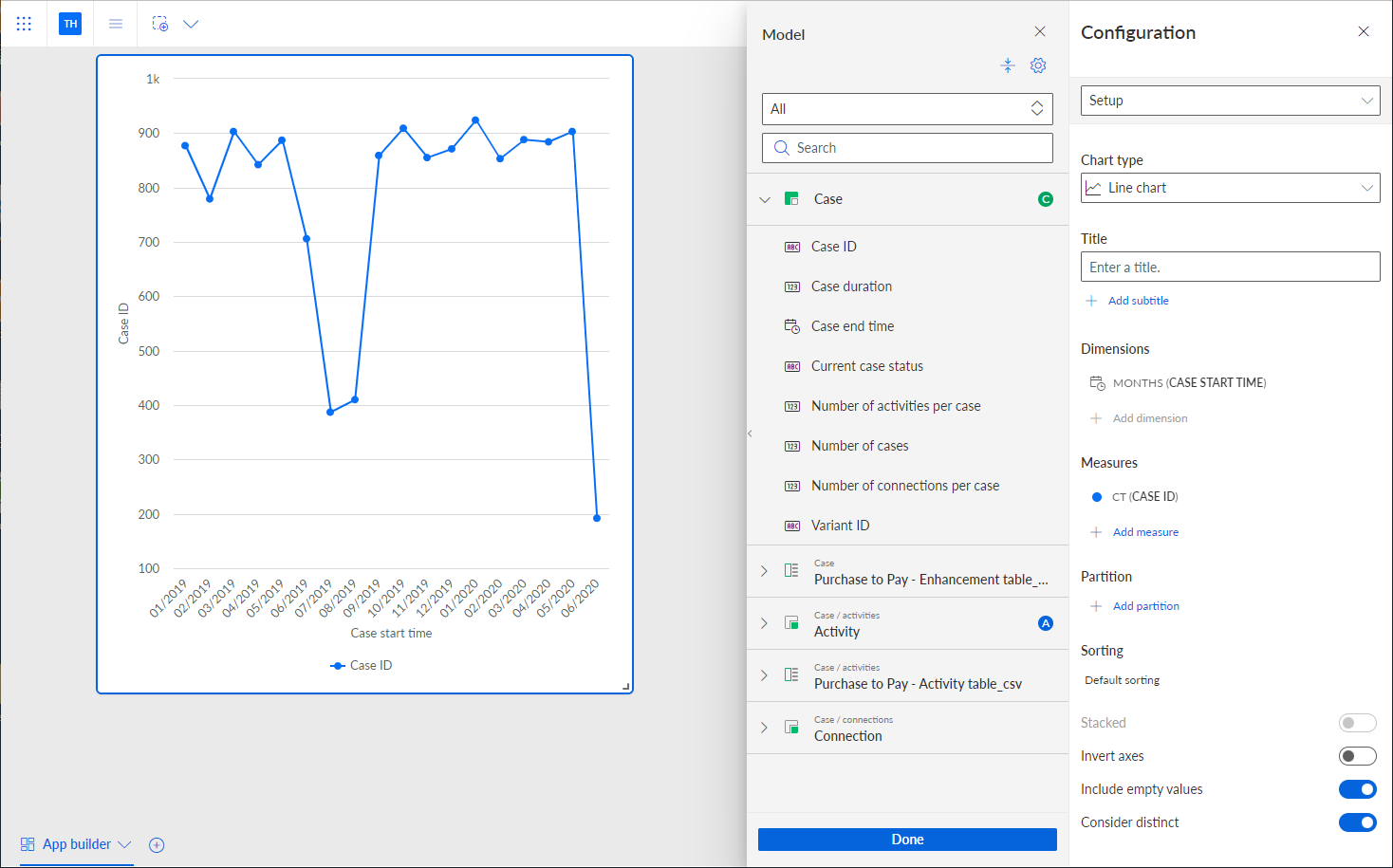
Click + Add dimension to select one or more dimensions. The Model panel displays the fields that you can use as dimensions.
Use the Model panel to select the dimensions for your analysis.
You can add one or more measures depending on the selected component. You can select measures of
Number, Text type, or Date type.Click + Add measure to select one or more measures. The Model panel displays the fields that you can use as measures. By default, all supported fields for the selected criterion and component are displayed. Some components allow only one data type, for example the Time series chart. In this case, only fields of the corresponding data type are provided.
Use the Model panel to select the measures for your analysis. If required, select an aggregation to calculate the measure values, such as Average or Count. Note that if you select Median or Count distinct values as aggregation, the result of the calculation is approximate and not exact.
You can add extra criteria to specify a partition for the analysis criteria.
You have assigned dimensions and measures to the app component for your analysis. The data of the assigned criteria is displayed in the component.
You can now configure the analysis criteria.
A line chart with the Case start time dimension and Case ID measure assigned.