Configure the analysis criteria
You can configure various settings of the analysis criteria, such as the aggregation or the axis assignment. The available options depend on the criteria you select.
Prerequisites
You have assigned data to the app component.
Select a component in the app and click the
 Configure icon. The corresponding Setup options are displayed in the Configuration panel.
To configure the individual criteria, move the mouse pointer over a criterion and click
 Configure.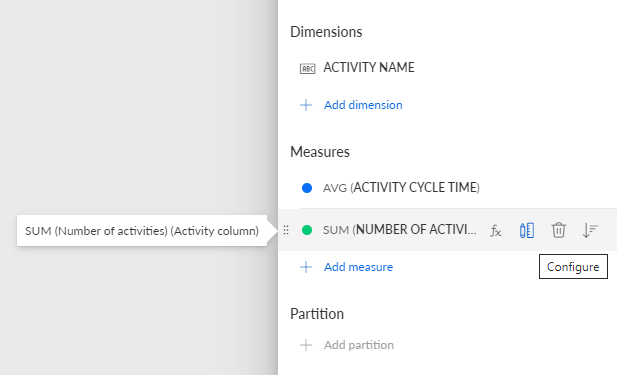
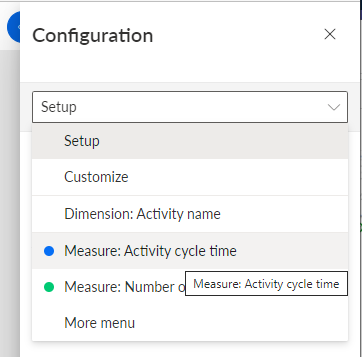
Alternatively, click the drop-down menu in the first line of the Configuration panel and select the criterion to configure. By default, Setup is preselected in the drop-down menu.
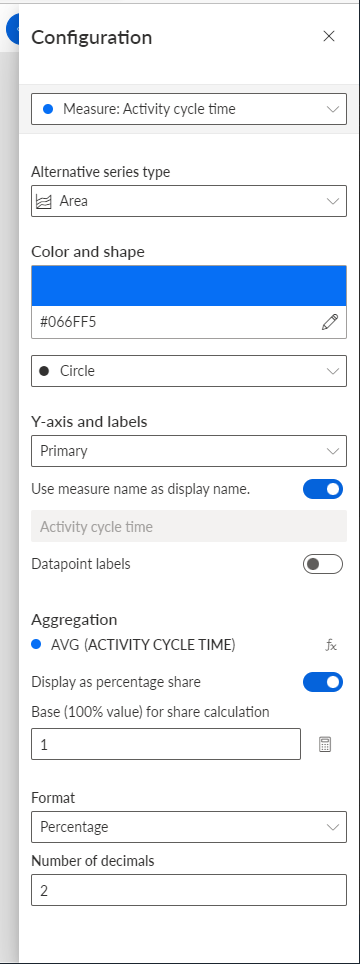
The configuration panel of the selected criterion opens. Specify the settings for the criterion. The options available depend on the selected criterion. See the example below.
You can specify the granularity for timestamp dimensions, such as the Case start time. For example, you can display the dimension values per month or per day.
You can configure the granularity and format for measure values of timestamp type.
You can configure the granularity and format for dimension values of date type.
You have configured the analysis criteria.
Configuration panel of the Activity cycle time measure.