Manage access to data sets
You can allow other ARIS Process Mining and ARIS users and user groups to edit a data set and load data into the data set. In addition, you can specify the data to which a user or user group has access by defining a corresponding data filter.
By default, only the creator of a data set has full access to the data set. The creator of a data set is allowed use, edit, and delete a dataset, and load data into the dataset.
Users assigned to a user group automatically inherit the privileges assigned to the group. You can assign users to a group in the User management component in ARIS.
You can set the following privileges:
Use allows this user to view the data set.
Edit allows this user to edit and view the data set.
Upload data allows this user to upload data stored in a CSV file into the data set.
Delete allows this user to delete the data set.
Set privileges allows this user to set privileges for the data set.
Note that users with this privilege can also revoke the privilege from you.
Click the
 More options icon >
  Manage access in the data set panel. The corresponding dialog opens.
Example
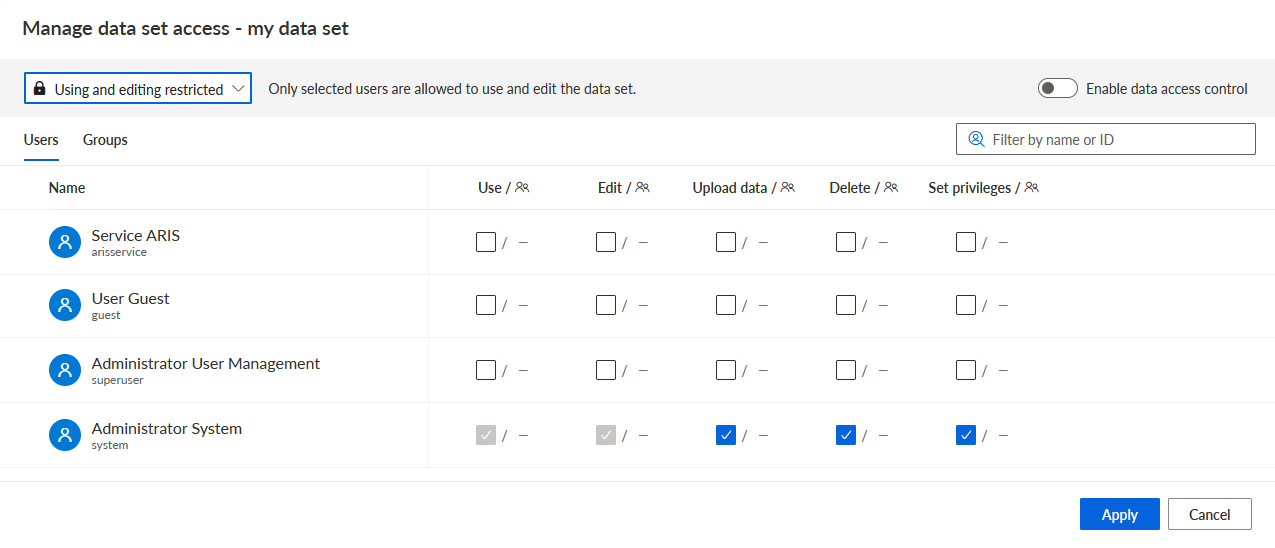
Select the access privileges for the data set in the drop-down menu.
Select Unrestricted to grant view and editing privileges to all users.
Select Editing restricted to grant usage privileges to selected users. All users have usage privileges. The option is enabled by default.
Select Use and editing restricted to allow selected users to view or edit a data set.
Set the access privileges for users on the Users tab.
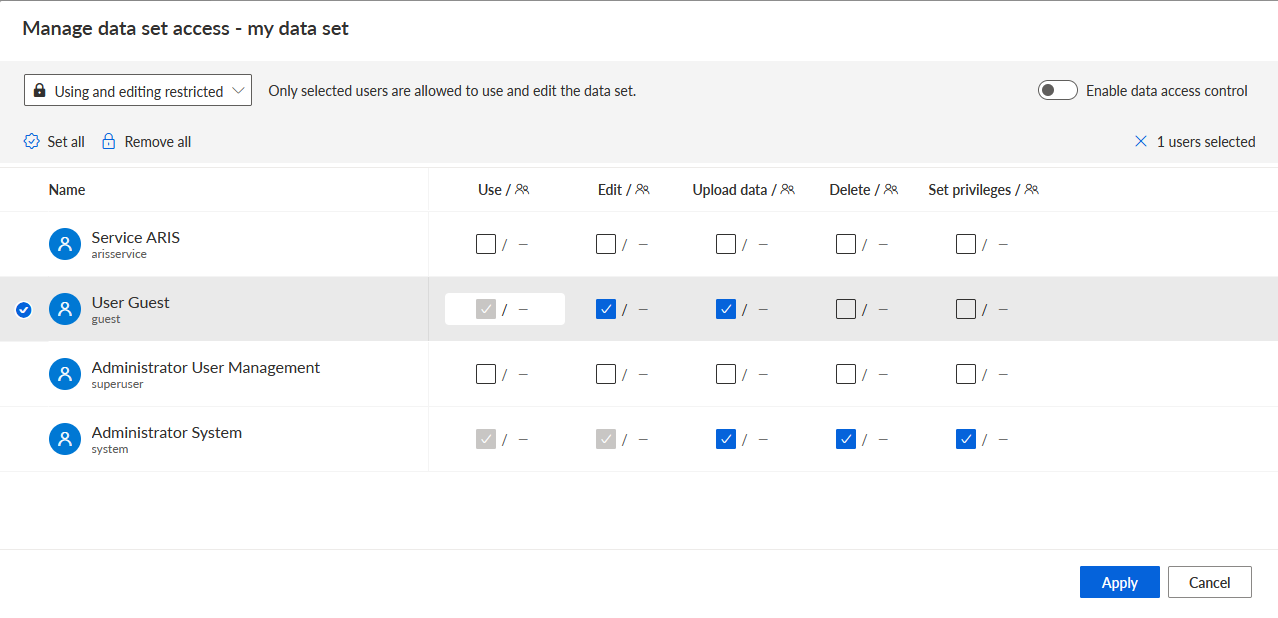
Select a user in the list.
Enable a privilege for the selected user.
To enable all privileges for the user, click Set all.
To revoke all privileges from the user, click Remove all.
Set the access privileges for user groups on the Groups tab.
Select a group in the list.
Enable a privilege for the selected group.
To specify the data to which a user or user group has access, enable the Enable data access control option.
Note that if you enable the option, no user, including yourself, has access to the data. You must set the access control to grant data access.
Click Apply.
The selected users and user groups have the access privileges you assigned to them.
You can manage users and user groups in the User management component in ARIS Administration.
The guest user has granted the Use, Edit, and Upload data privileges.
See also