Specify the activity table
Specify the role of the data that the source table provides. You can specify a source table as an activity table or an enhancement table. The data set requires exactly one activity table, but can contain several enhancement tables.
An activity table contains event log data. The table must contain at least the case ID, activity, and start timestamp of the activities.
An enhancement table contains data that can be used to enhance the process data. The table must contain at least one column that can be used as a foreign key.
A foreign key is a table column that provides a link between data in two tables. The foreign key acts as a cross-reference between tables because it references the primary key of another table, thereby establishing a link between the tables.
Prerequisite
The data model contains one or more tables.
Click Data modeling in the Data set panel. The Data modeling section opens.
Specify an activity table if the data model does not yet contain an activity table.
Click the <Select a table> drop-down menu, select a table, and then click Set as activity table.
Example
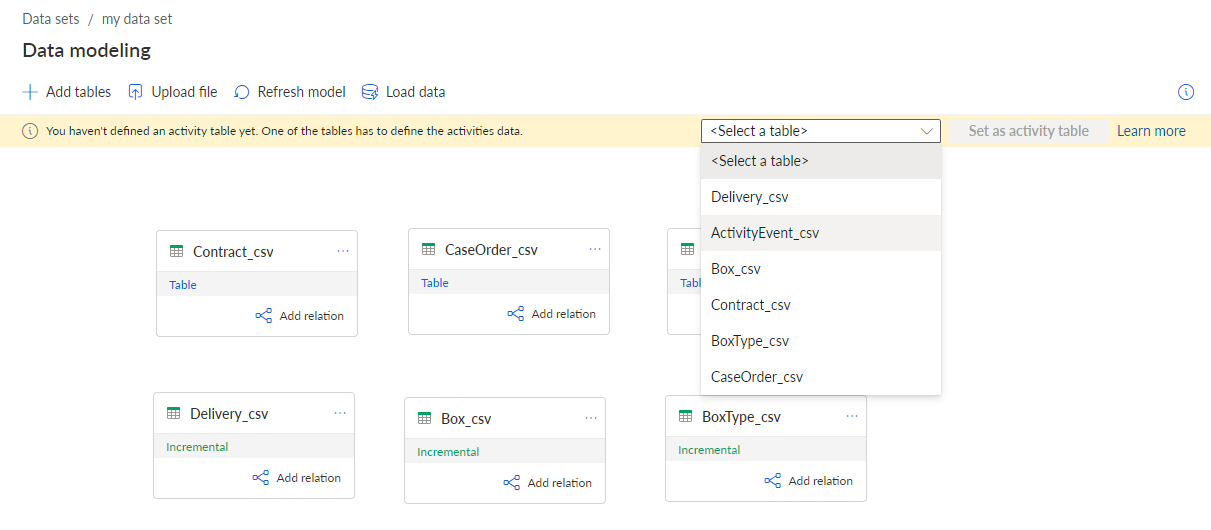
Alternatively, you can change the table role to Activity table. By default, all tables added to the data model are first specified as enhancement tables.
The Edit data table wizard opens. Here you can first specify the role of the data that the source table contains.
Select Activity table as the table role.
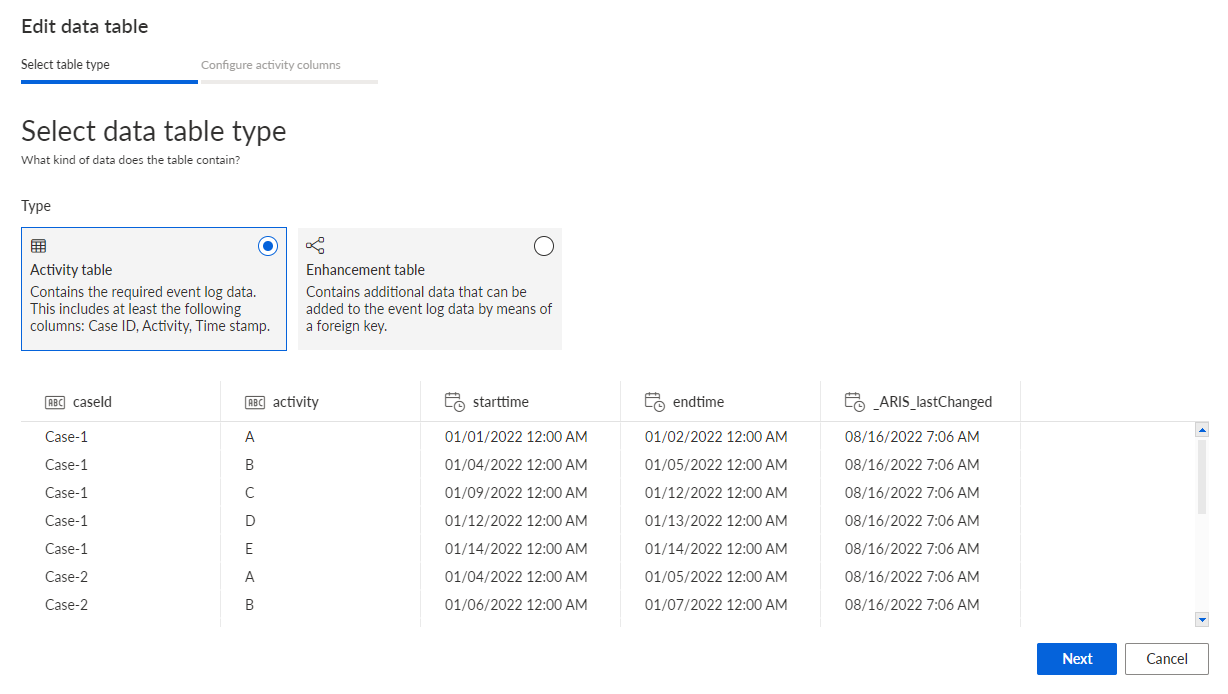
Click Next and configure the activity columns.
You have configured the source table as an activity table for the current data model.
After you changed a configuration, you must refresh the data model and reload the data to the process storage.