Configure activity columns
If you have selected activity table as table role, you must specify the columns that contain the relevant process data. ARIS Process Mining uses these columns to recreate the processes.
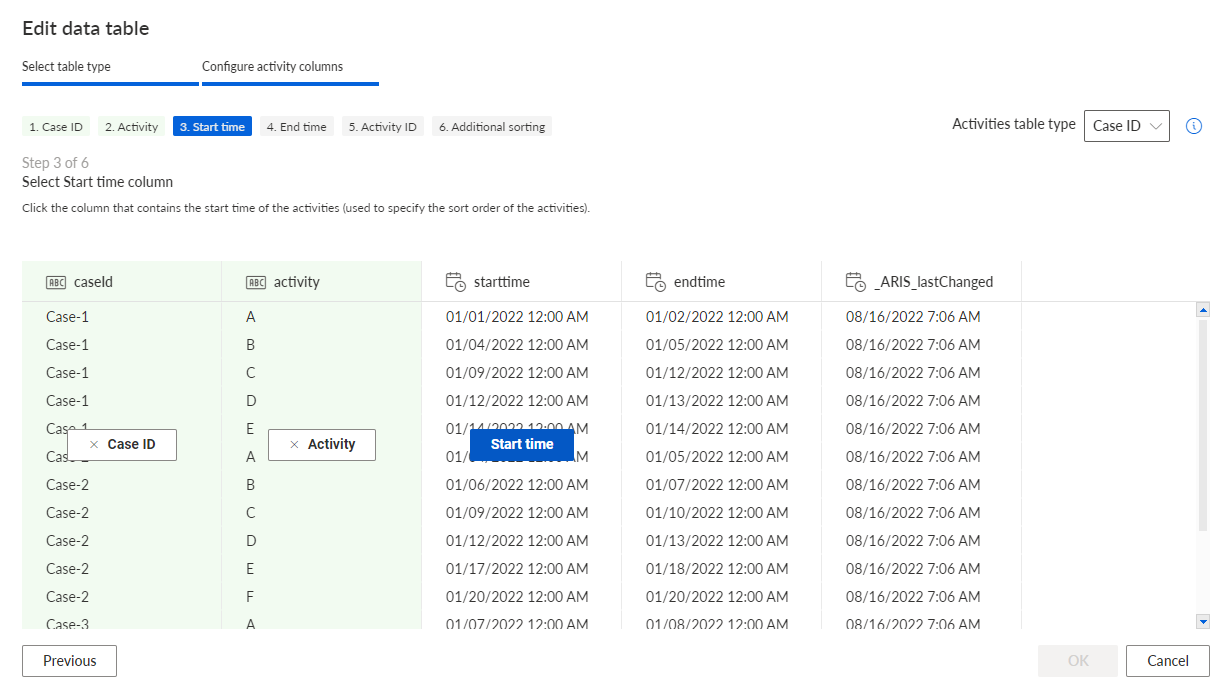
Specify the Activities table type in the corresponding drop-down menu. Case ID is selected by default. Linked activities is required for data extracted from an SAP source system.
Specify the following columns. To select a column, click the column content. Do not click the column header.
Specify the column that contains the case IDs (required).
Specify the column that contains the activities (required).
Specify the column that contains the start time of the activities (required).
Specify the column that contains the end time of the activities (optional).
Specify the column that contains the ID of the activities (optional).
Specify the column that to use to sort the activities if the timestamp is the same (optional).
Click OK.
You have configured the selected source table as activity table for the current data set.
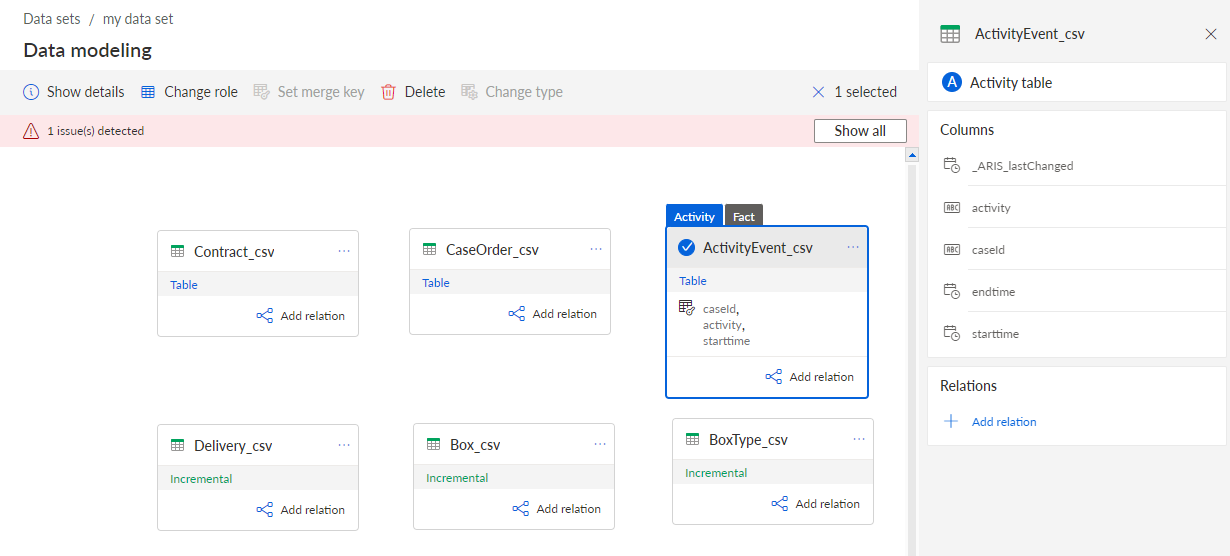
The activity table is marked as such to make it easier to identify.
Additionally, the table is labeled as Fact table. A Fact table multiplies the data per case. This means that several entities are assigned to one case, for example, here one case has several activities.
You can now load the data into the process storage or you can enhance the data with enhancement tables.
If you changed the data model configuration, you must refresh the data model and reload the data to the process storage.
Example