Provide data for the workflow
You can specify the data to transfer to the workflow system. The data can be used by the defined workflow that is triggered by the insight trigger. For example, the workflow sends the case ID from the gained insight to the appropriate user to inform him about the insight and the actions to take.
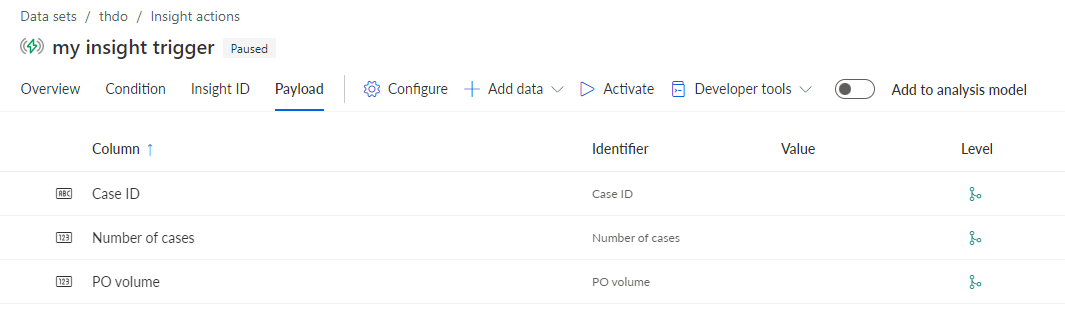
Click Payload. On the Payload page, you can specify the data to transfer to the workflow system. By default, the case ID or activity ID is preset.
You can add fields of the analysis model to transfer them to the workflow.
Click Add data > Analysis model fields.
Select the fields to transfer, for example, Number of cases and PO volume.
Click Apply.
The selected fields are added to the Payload page.
You can add user defined attributes to transfer to the workflow.
Click Add data > Static attribute. The static attribute can be used, for example, to transmit a message that is sent to a user by the workflow.
Specify an attribute name/identifier.
Specify a value.
Click Add.
The specified attribute is added to the payload.
You have specified the data to transfer to the workflow system.
To remove data from the payload, select the data and click  Remove.
Example