Specify a unique insight ID
You can specify an ID that uniquely identifies an insight. You can use the ID to identify an insight and to determine if the insight has already been triggered. The ID is defined by the columns that are assigned to the insight. By default, the case ID is set as the insight ID. You can add one or more columns from the analysis model to define a unique insight ID.
If you use only the case ID as the insight ID, the insight is only triggered once for each case ID. For example, if you add a status column and the status of the cases changes, the insight is triggered for each combination of case ID and status.
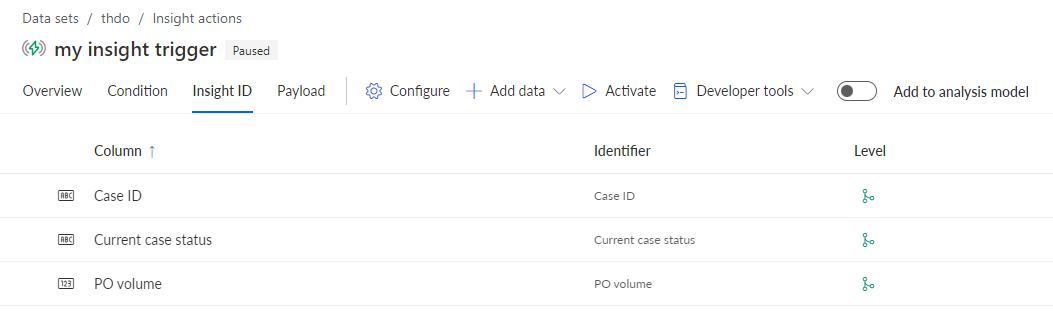
Click Insight ID. On the Insight ID page, you can add multiple columns to specify an insight ID.
Click + Add data > Analysis model columns.
Select the columns to add to the insight ID, for example, Current case status and PO volume.
Click Apply. The selected columns are added to the Insight ID page.
You have specified an insight ID and the selected columns are displayed.
To remove data from the insight ID, select the data and click  Remove.
Example