Filter for time stamp values
Depending on the granularity you selected for a dimension of the time stamp type, such as Case start time, you have different options to specify a filter. You need to distinguish between dimension values for continuous time periods, such as per month or per day, and cumulative values of a dimension, such as per month of the year or per day of the week.
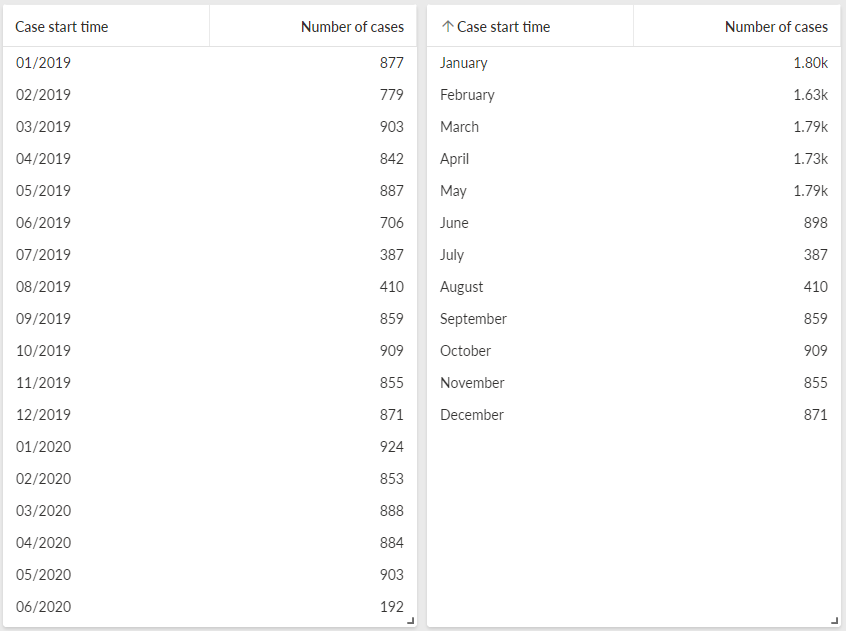
The left table shows the number of cases for sequential months over several years. The right table shows the number of cases for specific months of the same years cumulatively.
Filter for continuous time periods
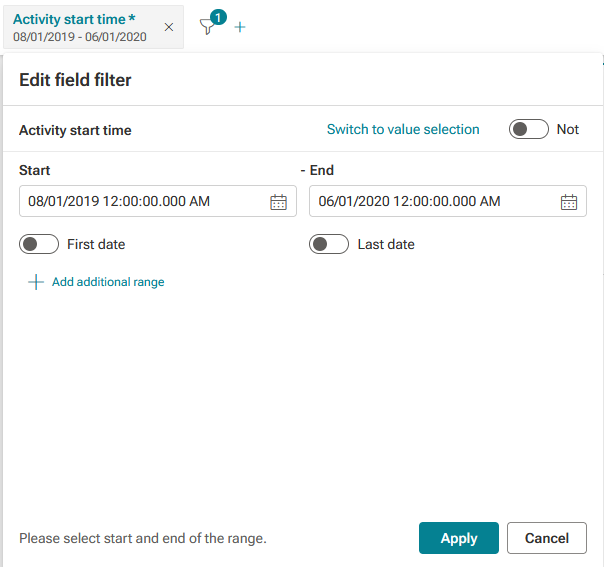
If you selected a granularity for the dimension values with continuous time periods, you can specify a Field filter , for example, for a project, an analysis, an app, or an ad-hoc filter. For this filter type, you must specify a time period.
The example shows the filter settings for the Activity start time dimension, for which Months is selected as the granularity. The time period is specified by a start point and an end point.
Filter for cumulative values
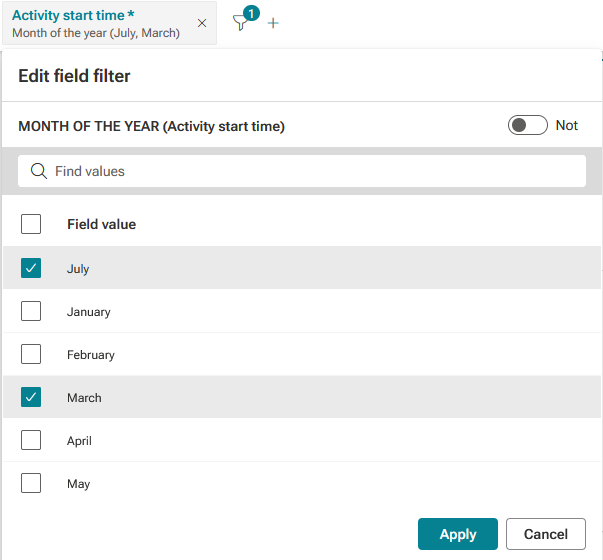
If you selected a granularity for the dimension with cumulative values, you can create an ad-hoc filter only by selecting data directly in an analysis component. For this filter type, you must select the distinct values.
The example shows the filter settings for the Activity start time dimension, for which Month of the year is selected as the granularity. The cumulative values July and March specified as filters.