Specify the granularity for timestamp criteria
You can specify the granularity for timestamp dimensions and measures, such as the Case start time. For dimensions, you can display the values per continuous time periods, such as per month or per day.
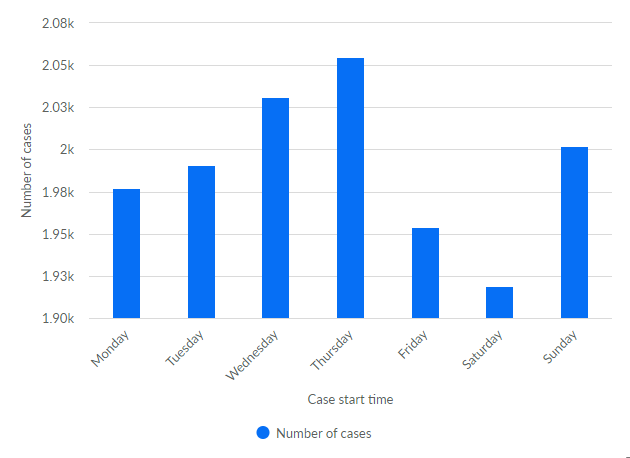
Alternatively, you can count distinct values for the dimension, such as per month of the year or per day of the week. For measures, you can count only the distinct values.
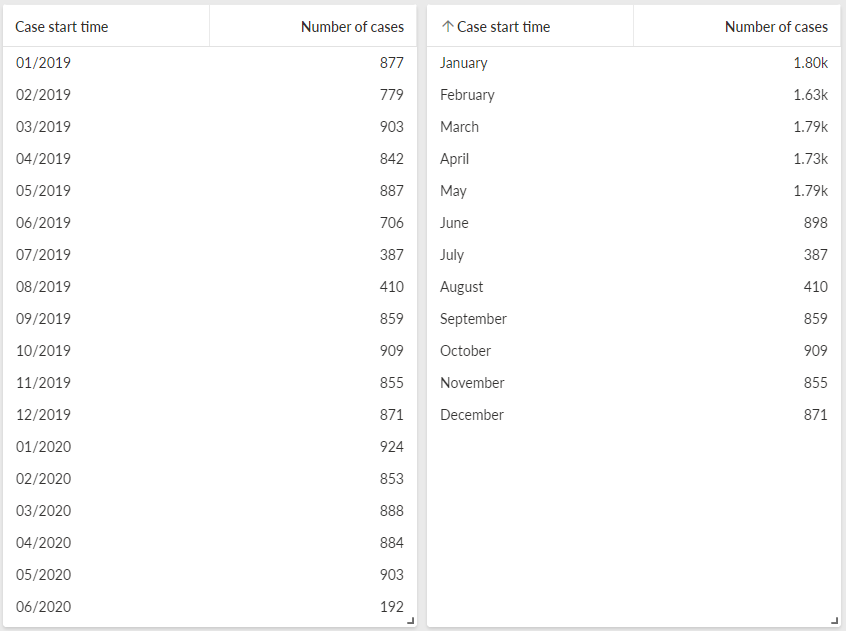
The left table shows the number of cases for sequential months for specific years. The right table shows the number of cases for individual months cumulated over all years.
Select a component in the app, for example, a table.
Assign a dimension of Timestamp type to the selected component.
Move the mouse pointer over the timestamp dimension, click the
 icon, and select a granularity from the drop-down menu.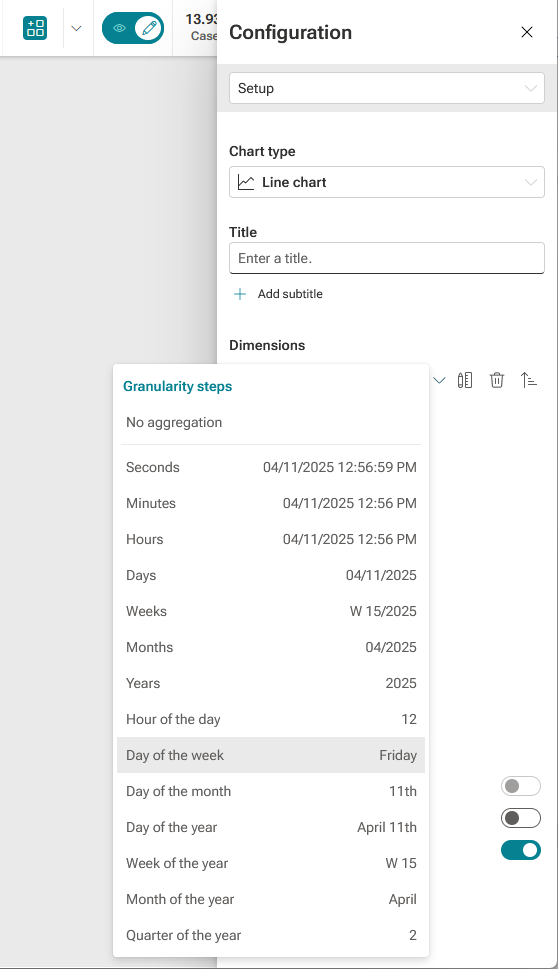
Note
The granularities Weeks and Week of the year of date dimensions comply with ISO 8601.
You can assign a measure of Timestamp type to a selected component. For timestamp measures, you can select only the Count distinct values (CTD) aggregation.
Move the mouse pointer over the timestamp measure, click the
icon, and select a granularity in the drop-down menu.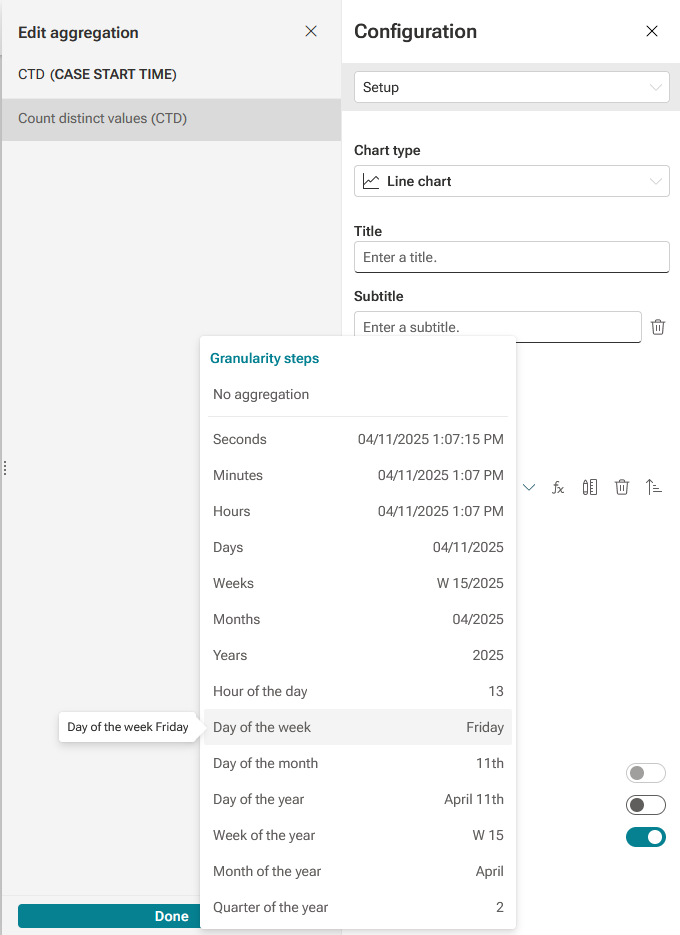
You have specified the granularity for analysis criteria of the Timestamp type.
Number of cases cumulated on the days of the week.