Configure the format of date values
You can configure the format for dimension values of date type, such as the case start time. You can specify the granularity or select a predefined format for the date values.
In the Configuration panel of the component, move the mouse pointer over the dimension and click
 Configure. The Configuration panel of the selected dimension opens.
Select the time unit for the date value in the Granularity drop-down menu, such as days or weeks.
If you select No aggregation, you can select a predefined time format in the Time format drop-down menu.
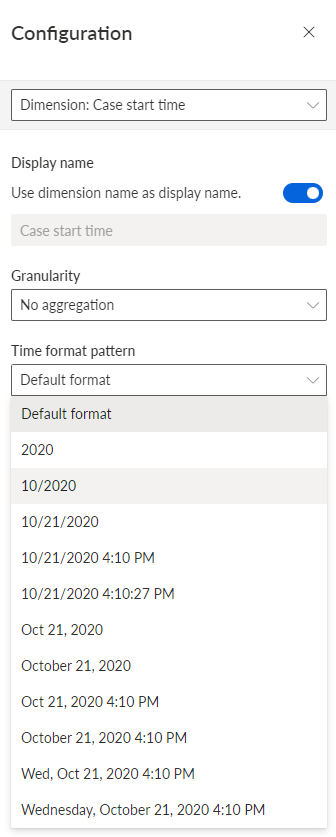
You have configured the format of date values. The dimension values are displayed in the component with the selected time format.
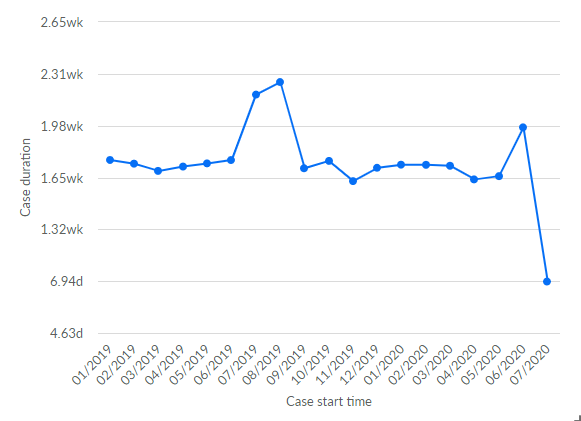
The chart displays the values of the Case start time dimension in the selected time format.