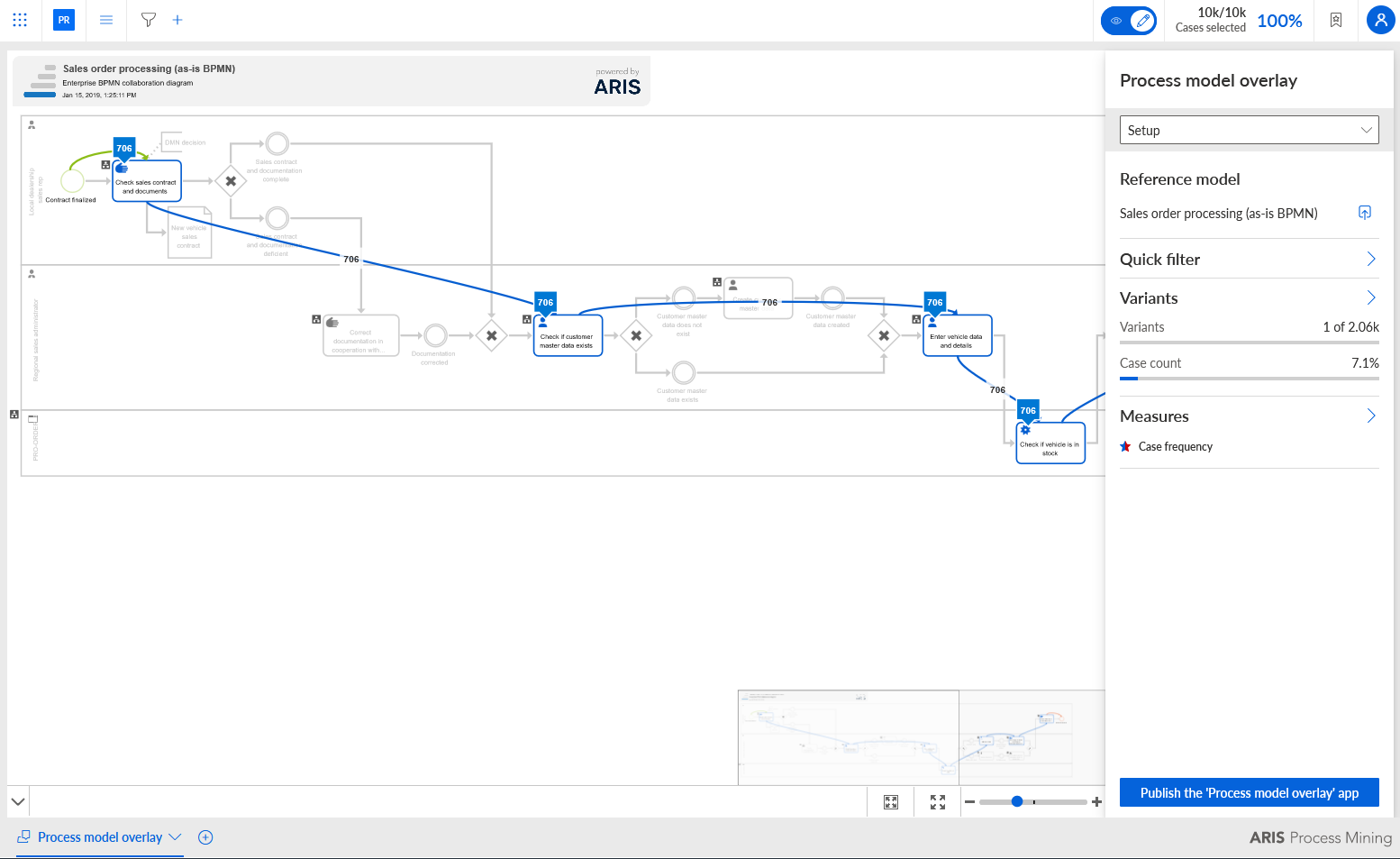
Use the Process model overlay app
You can use the Process model overlay app to enrich ARIS process models by ARIS Process Mining data. With a process model overlay you can add KPIs to published ARIS process models and analyze them from a data perspective. By applying ad-hoc filters, for example, to a specific country or time range, the performance of process models can be flexibly displayed and analyzed. You can also embed process models in process mining analyses.
The Process model overlay app supports process models of the BPMN and EPC type.
Note
If you have upgraded an older ARIS Process Mining version to version 10 Service Release 26 or later and have already created a Process model overlay app in this version, please note the following.
From version 10.0 Service Release 26, ARIS Process Mining supports multiple reference processes in a data set. If you transfer a reference model on which an existing Process model overlay app is based, for example, to create an alternative mapping, the Process model overlay app may no longer be able to identify the originally assigned mapping. We recommend recreating all existing Process model overlay apps that refer to this reference model.
If you export a project that contains the Process model overlay app and then import the project again, the Process model overlay app may no longer be able to access the transferred reference process on which the app is based. This happens because the original GUID of the reference process is lost if the reference process has since been exported in BPMN format instead of XML format and imported back into ARIS.
Prerequisites
The ARIS database that includes the relevant process model is published.
You have at least the View privilege for the relevant process model in ARIS.
You transferred the process model as a reference process to ARIS Process Mining.
Create an analysis for a project that contains a data set with the transferred reference processes.
Select a reference process for the process model overlay.
On the start page of the Process model overlay app, select a reference process to open the app. All available reference processes with a valid and activated activity mapping are provided on the start page of the app.
If you are asked to transfer a reference process, you must first transfer a reference process before you can use the app. Click Transfer reference process.
There may be various reasons why no reference process is available:
No reference process has yet been transferred from ARIS.
Reference processes are available, but none of them have a valid activity mapping.
Reference processes are available, but these are not included in the ARIS database. The reference models in the ARIS database may have been deleted, or they may originate from a different ARIS database than the one currently in use.
Publish the process model overlay configuration.
The Process model overlay app is added to your analysis and the corresponding configuration is available for the BPMN or EPC model in ARIS.
The Sales order processing BPMN model opened in the Process model overlay app. The model is not configured yet.