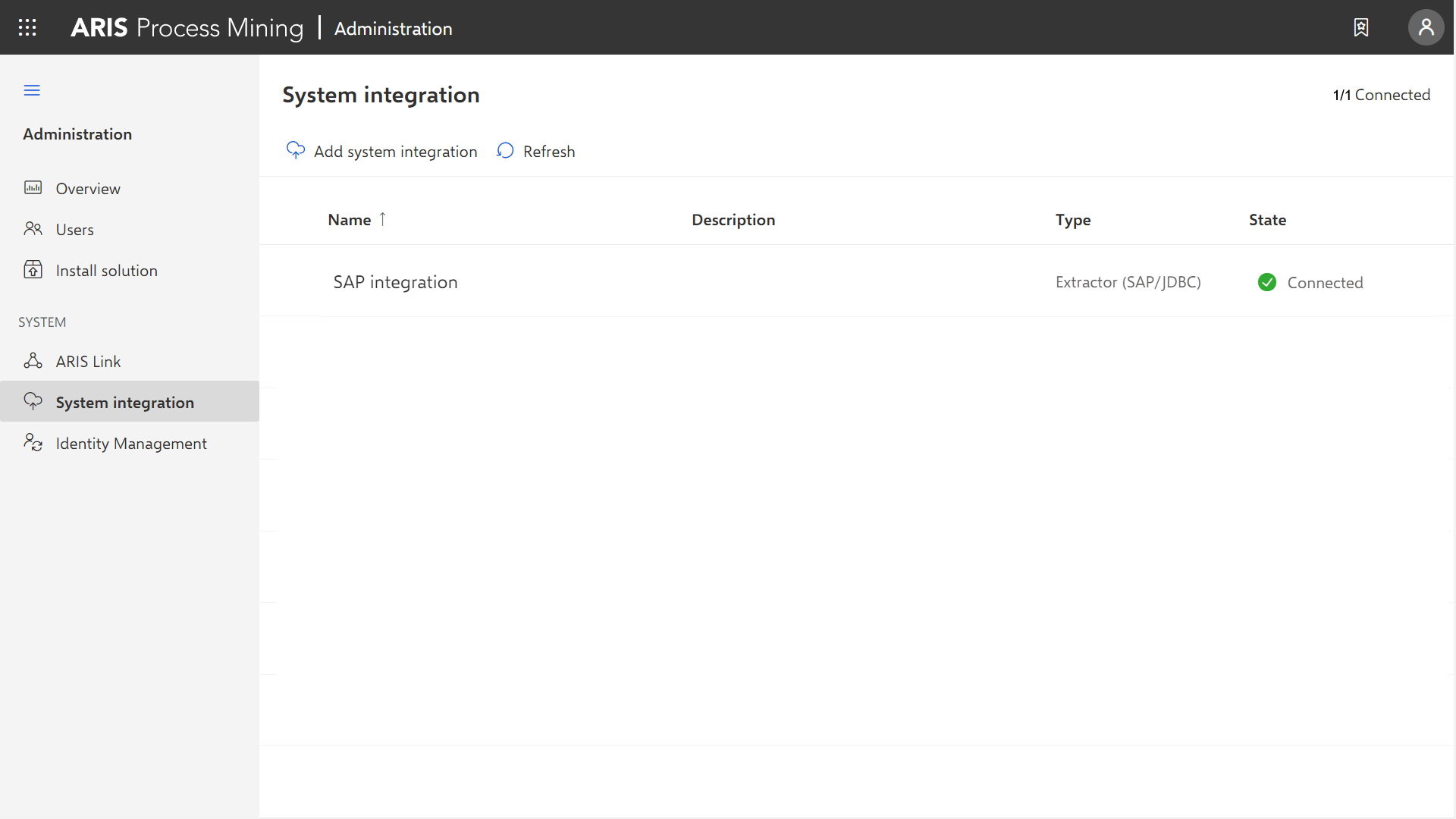
Create an SAP/JDBC system integration
You must create a system integration to register a source system in ARIS Process Mining, for example, an SAP system or a JDBC database.
For an SAP system and a JDBC database as source systems, a dedicated client-credentials key is generated for each system integration. You need this key to configure a connection when you install Process Extractor. The client-credentials key consists of two parts, the client ID and the secret key, both connected with a "/".
<client ID>/<secret key>
88ef7ca5-3c54-41a9-8b78-e2051dbf4adc/c0bc46e3-048a-467a-ab1c-9e113fa708c0
Note that each Process Extractor installation requires its own credentials key. You must not use the same credentials key for different Process Extractor installations.
The procedure to create an SAP or a JDBC system integration is almost the same. The procedure is described using an SAP source system as an example.
Prerequisite
You have installed the ARIS Process Mining Enterprise license.
Start ARIS Process Mining.
Click the
 Navigation menu icon >
  Administration in the program header.
Click
 System integration in the Administration panel.
Click
Add system integration and select a system integration, for example, Process Extractor (SAP/JDBC). The corresponding dialog opens.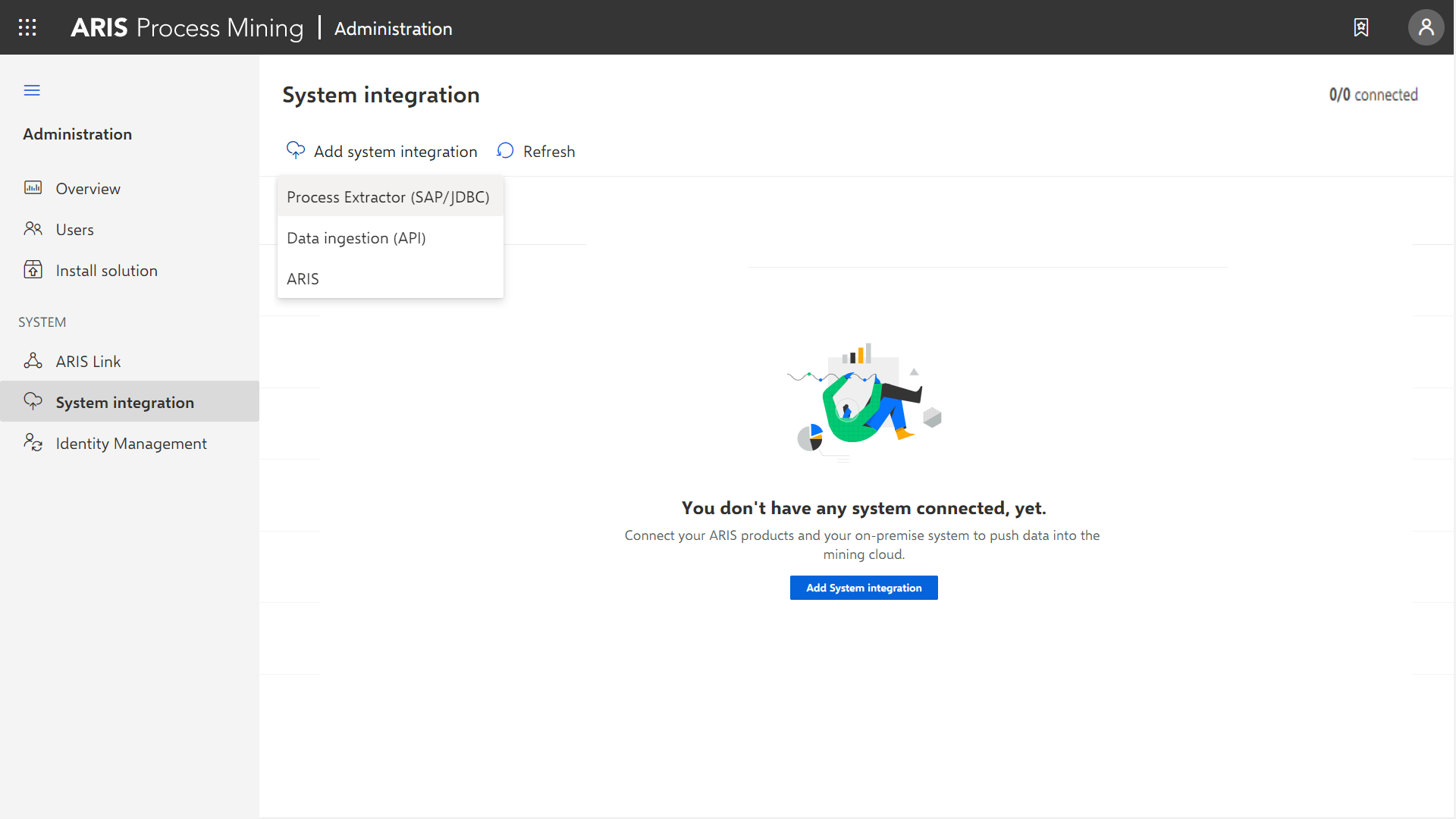
Enter a name, for example, SAP integration, and an optional description.
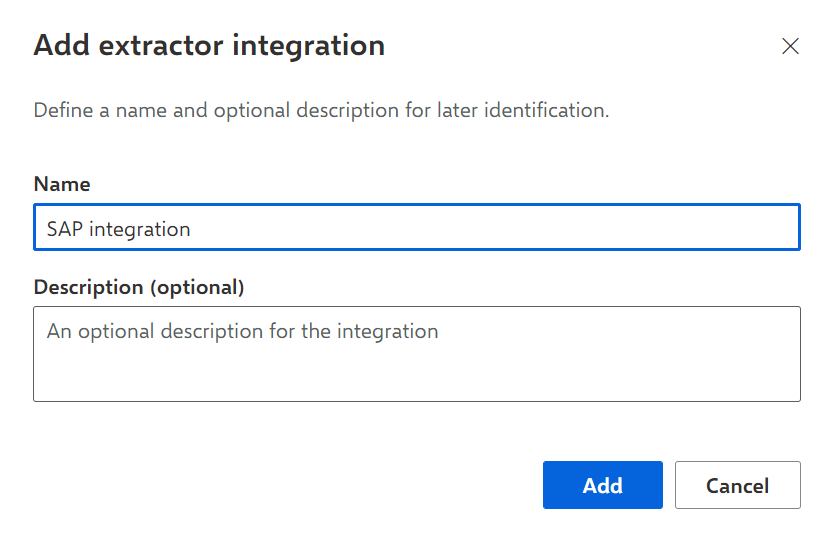
Click Add. The corresponding dialog opens. The dialog provides the client credentials key that is required to configure Process Extractor to communicate with ARIS Process Mining. For details on how to use the client credentials key, see the chapter Configure the ARIS Process Mining connection in the Process Extractor installation guide.
After configuring Process Extractor using the client credentials key, Process Extractor is able to connect to ARIS Process Mining and deliver the connected source systems, such as an SAP system or a JDBC database.
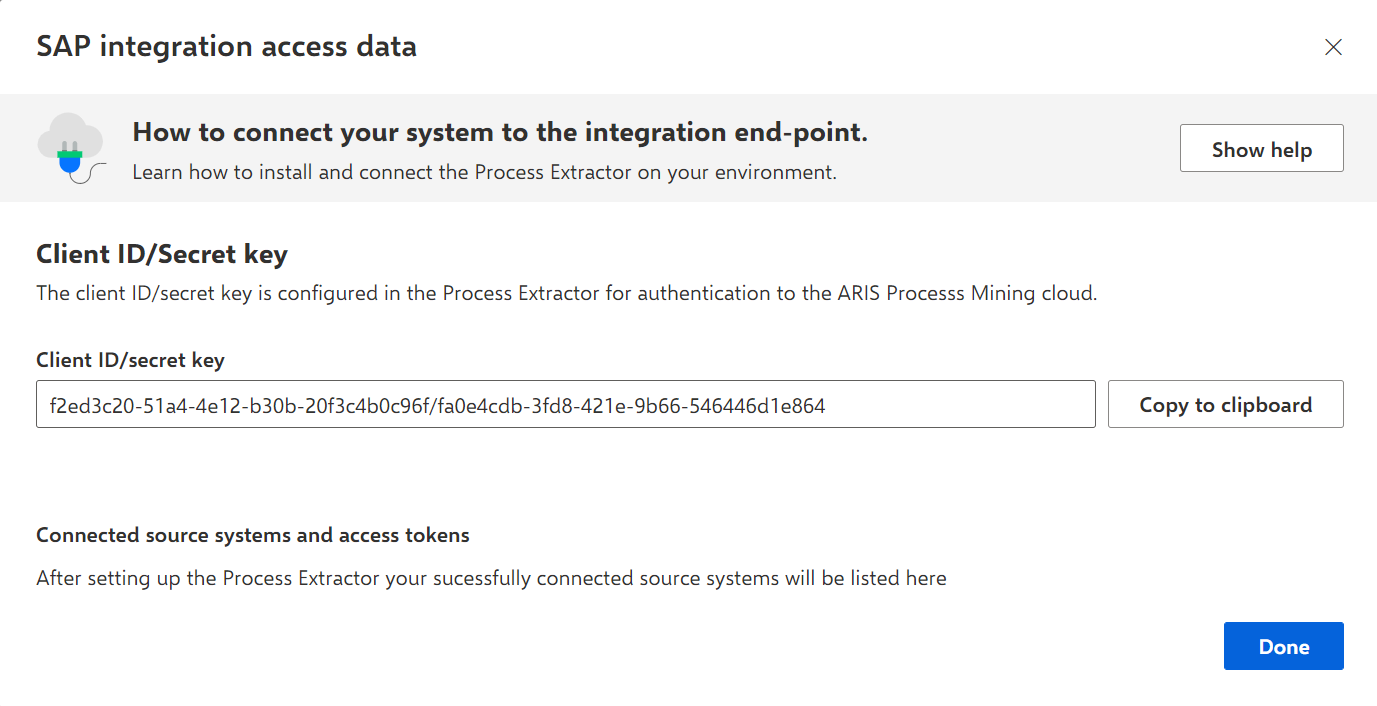
Only if ARIS Process Mining is successfully connected to Process Extractor, the source system connected to Process Extractor and the associated secret key are provided in the dialog. The secret key is required to create a connection to the source system.
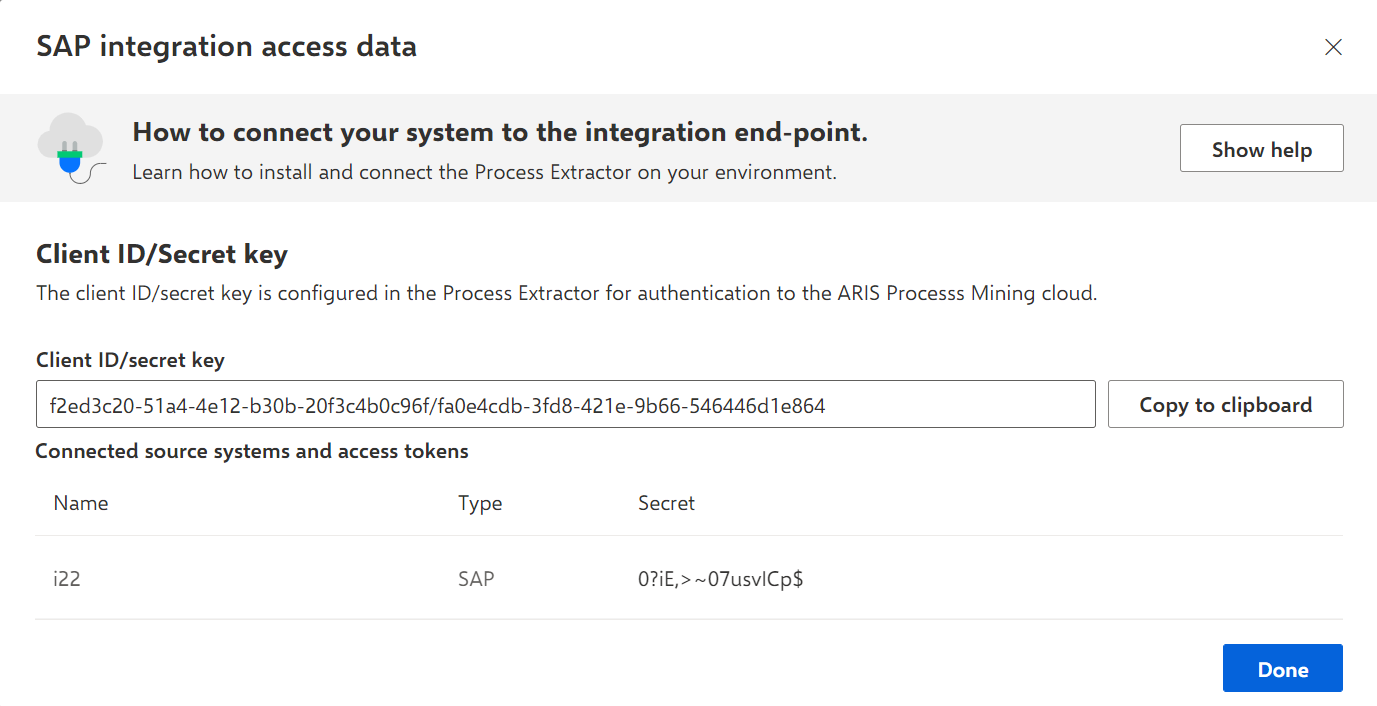
Save the client-credentials key to configure the connection to Process Extractor.
Click Copy to clipboard.
Save the key, for example, using a text editor.
The system integration is created and listed with the name you specified.
When Process Extractor is installed and configured (Install and configure Process Extractor), click  Refresh to display the connection status of the system integrations.
Tip
The client credentials key is saved in the system integration you created. You can display the source system access data to access the client credentials key.