Display source system access data
You can display the access data that is provided for a system integration, such as an SAP, a JDBC. or a data ingestion system integration. The access data, such as client ID and client secret, is required, for example, to create a connection to a source system.
You can copy the access data to the clipboard and use it to configure the connection between Process Extractor and ARIS Process Mining or the data ingestion API.
Prerequisite
To display the access data of a connected SAP system or JDBC database, the corresponding Process Extractor service must be running.
Click the
 Navigation menu icon >
  Administration in the program header.
Click
 System integration in the Administration panel.
Select a system integration in the list and click
 Show system access data. The Integration access data dialog opens and displays the access data of the selected system integration.
Example
SAP system integration with the corresponding access data, such as client-credentials key and client secret.
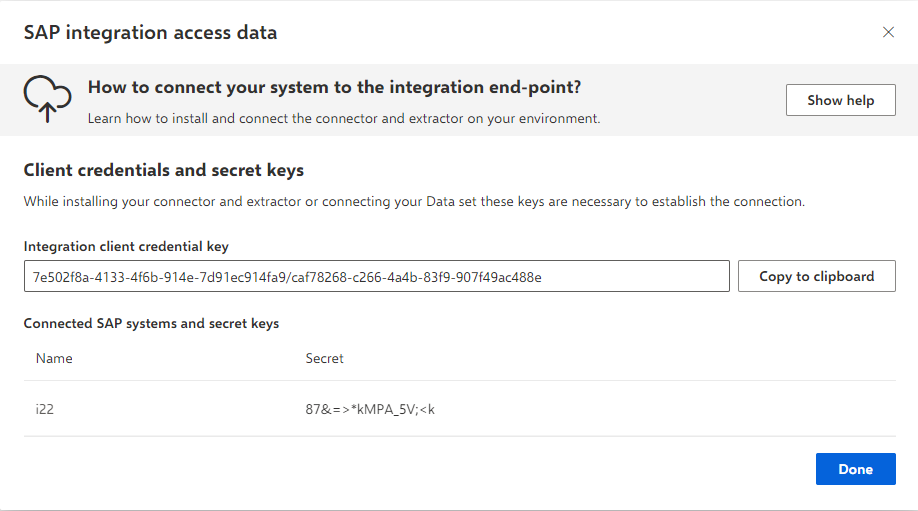
Click Copy to clipboard to copy the corresponding access data to the clipboard.
To copy a secret key, move the mouse pointer over an SAP system connection and click the
 Copy icon.
You have access to the authentication data of a system integration.