Show table details
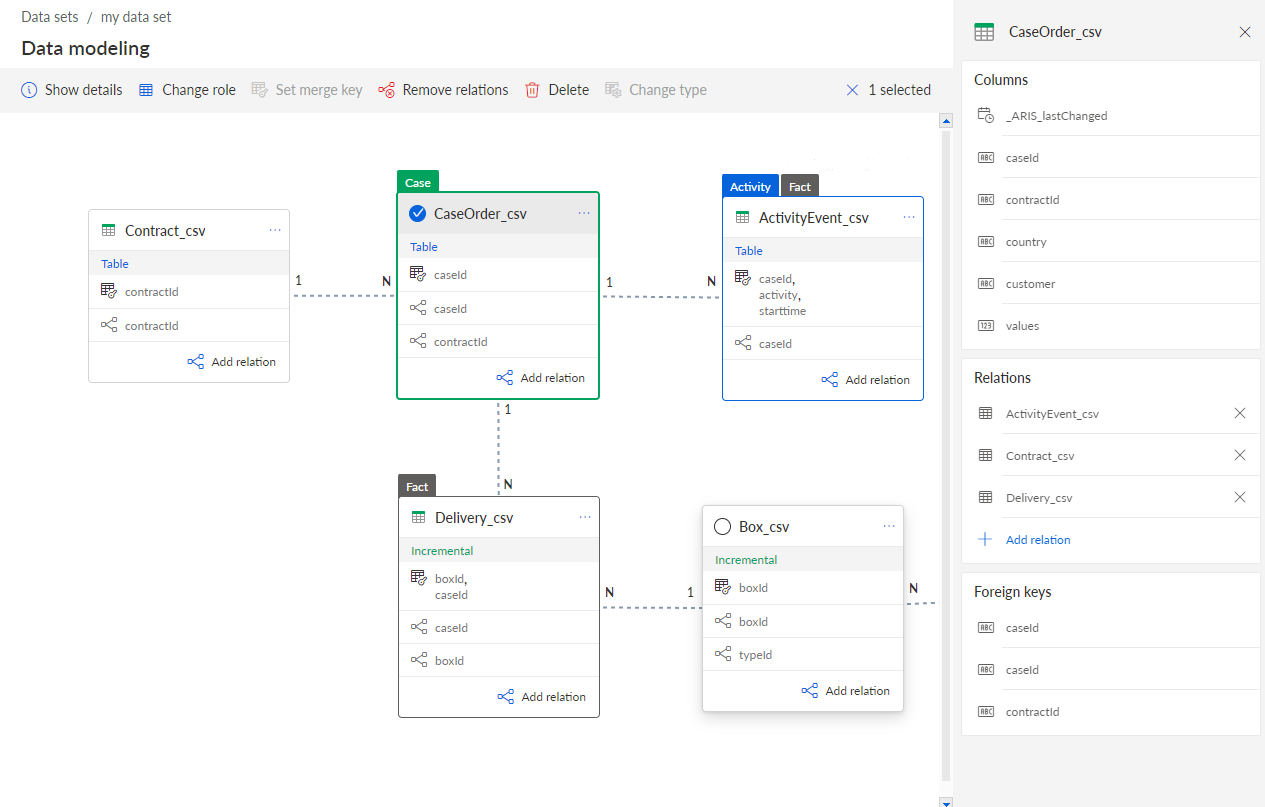
You can view the details of the data tables and model configuration, such as table columns, relations, and foreign keys. You can also view more details about the columns that are specified as activity columns.
Procedure. Procedure
Click Data modeling in the Data set panel. The Data modeling section opens.
Click the
 Show details button.
Select a table.
Click the background of the data model to display details.
The details of the selected table or the data model are displayed in a corresponding panel.
Example 204.
The information panel displays details about the selected CaseOrder_csv table.