Create a data model
You need to configure a data model that specifies the tables to load into the process storage. A data model must include exactly one activity table that contains the activities to load into the process storage. Depending on how the activities of a process are related to each other (common case ID or link-based), the activity table must contain the corresponding information.
You can add more data to enhance the process data of a data set, for example, to lookup names for technical identifiers in the activity table. To enhance the process data, you must add one or more data tables, and link the tables in the data set to each other.
In the present configuration, the P2P.ACTIVITIES table contains all activities to load into the process storage. The PURCHASE_REQUISITION_ITEM.DIM_PURCHASE_REQUISITION_ITEM and PURCHASE_ORDER_ITEM.DIM_PURCHASE_ORDER_ITEM tables contain dimensional information on Purchase requisition item and Purchase order item activities.
Add the P2P.ACTIVITIES table as an activity table and the PURCHASE_REQUISITION_ITEM.DIM_PURCHASE_REQUISITION_ITEM and PURCHASE_ORDER_ITEM.DIM_PURCHASE_ORDER_ITEM tables as additional enhancement tables. You can use the ACTIVITY_ID column, which is included in each table, to relate the activity table to the enhancement tables.
Click Data modeling in the Data set panel. The Data modeling section opens.
Click Add tables. A dialog with all available tables opens.
Select the tables that you want to use as the activity and enhancement tables, for example, the ACTIVITIES, DIM_PURCHASE_REQUISITION_ITEM, and DIM_PURCHASE_ORDER_ITEM tables. The tables are added to the Selected tables list.
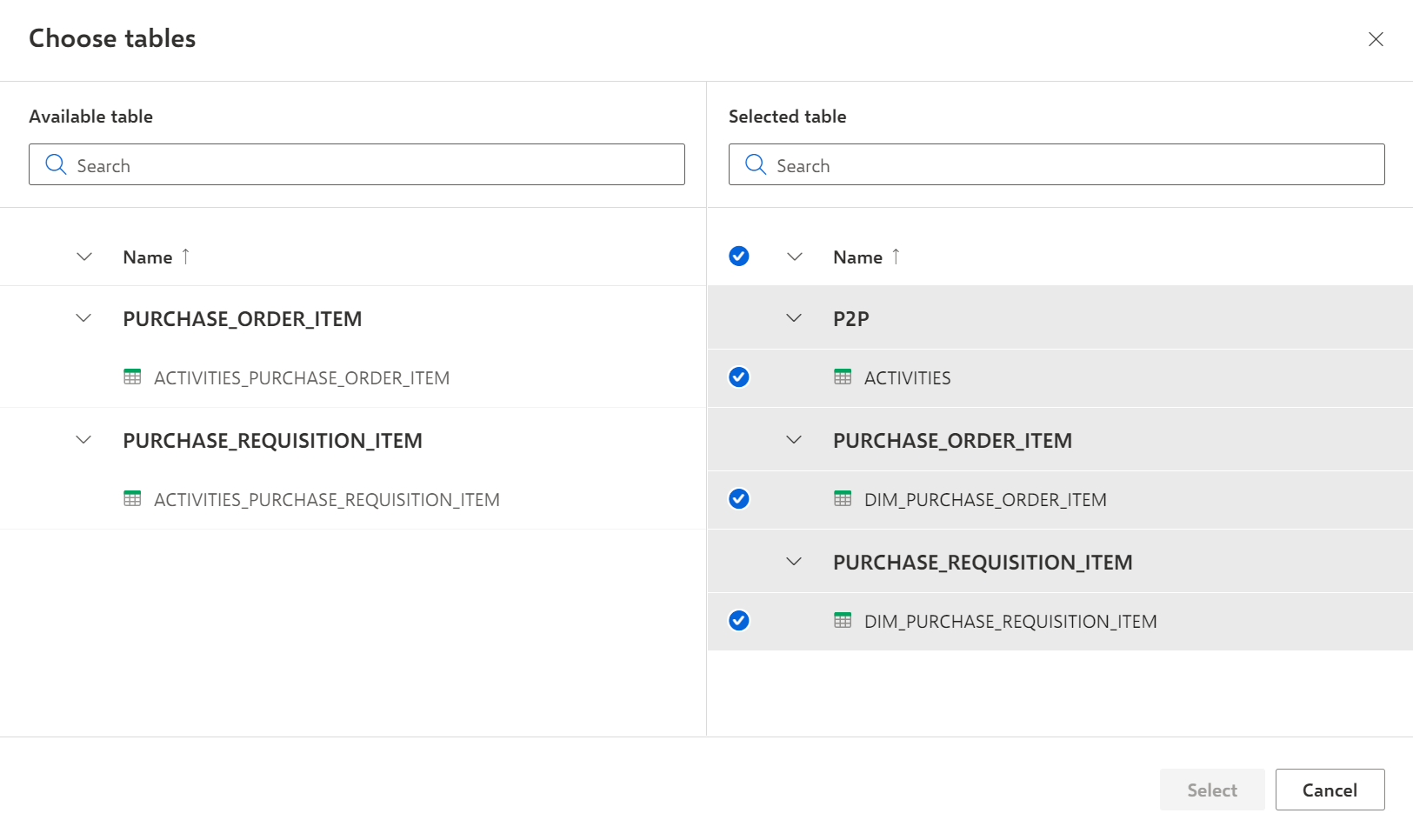
Click Select.
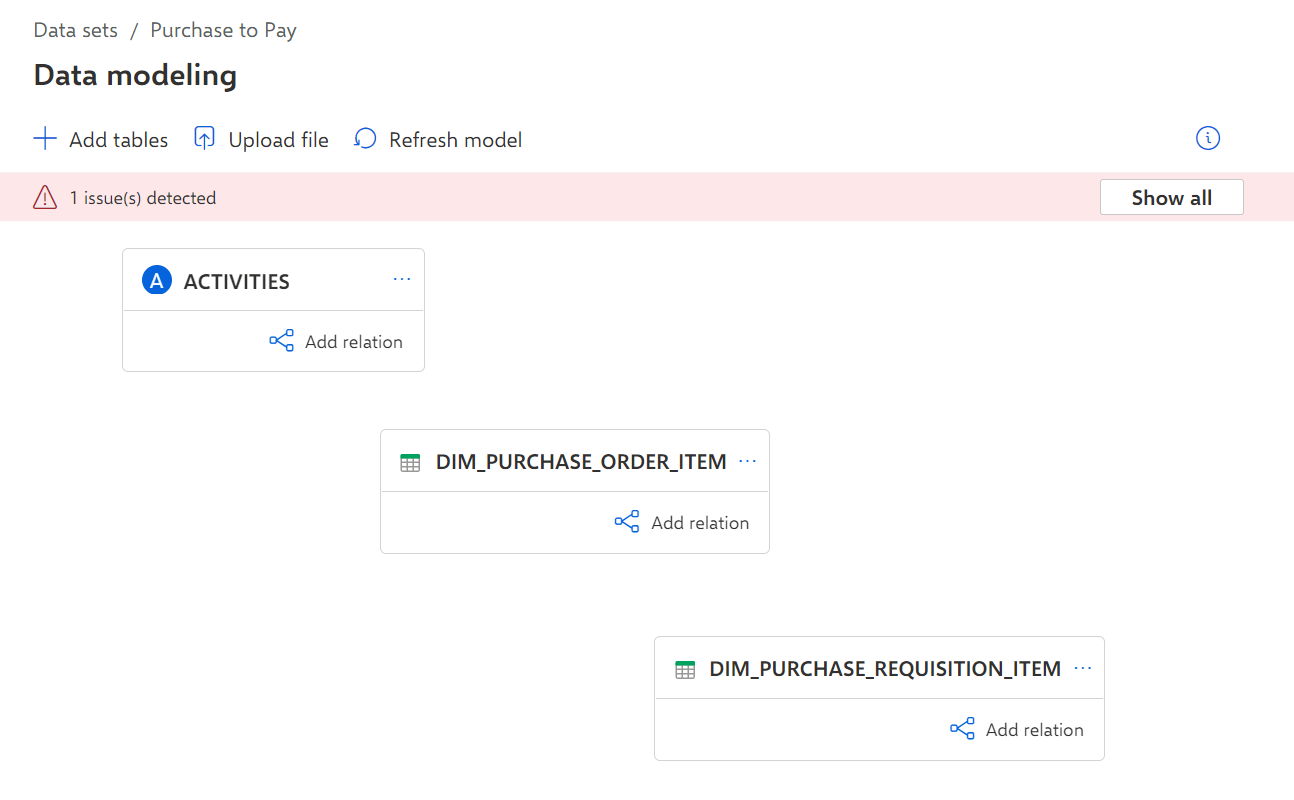
The three selected tables are added to the data model and displayed on the Data modeling page.
Example