Specify the activity table
Depending on how the activities of a process are related to each other (common case ID or link ID-based), you must assign required roles to the columns of the activity table.
If the activities of a process instance have the same case ID (activities table type: Case ID), the activity table must contain columns with the case ID, the name of the activity and start time of the activity. If the activities of a process instance do not have the same case ID, they must contain information about the preceding or succeeding activity within the process (activities table type: Linked activities). In this case, the activity table must contain columns with the activity ID and link ID, where the activity ID contains the unique identifier of an activity, and the link ID contains the activity ID of a related activity within the same process instance (usually predecessor activity or successor activity). Additionally, the table must contain columns with the activity name and start time.
Specify the ACTIVITIES table as activity table for the data model. As the table was extracted from an SAP system, which does not provide a unique case ID for activities of a process, you must specify the linked activities activities table type.
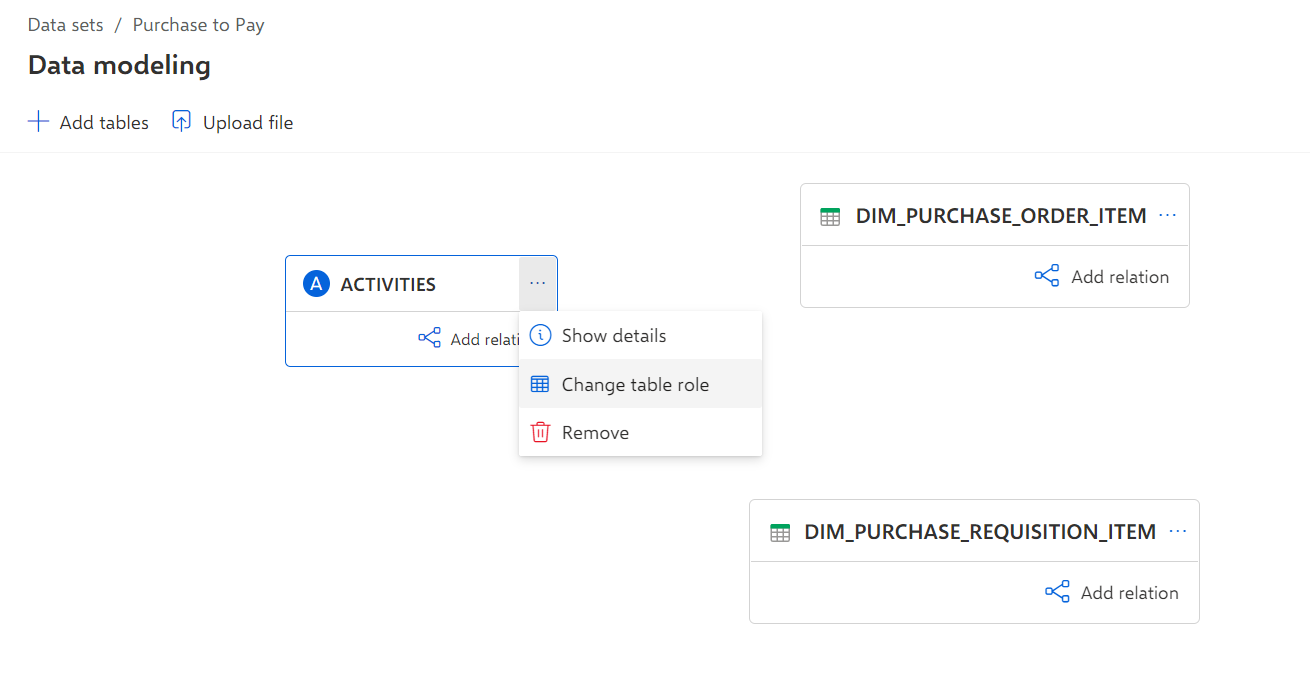
Click Data modeling in the Data set panel. The Data modeling section opens.
Select the ACTIVITIES table.
Click the ... More details icon > Change table role. The Edit data table wizard opens.
Select Activity table as the table type. The wizard loads the source data for a preview.
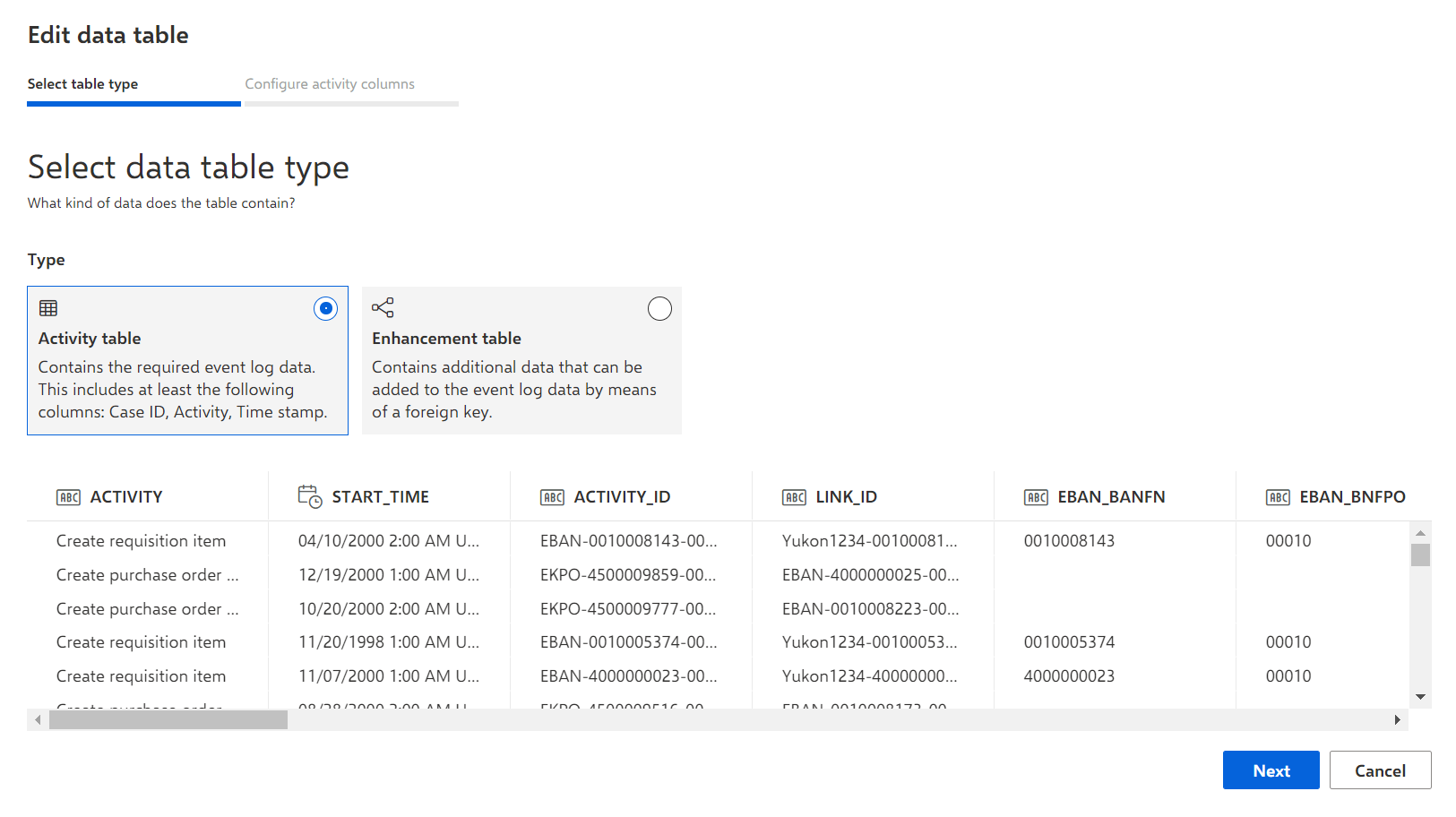
Click Next.
Select Linked activities in the Activities table type drop-down menu to specify the table as link ID-based.
Specify the required columns that contain the Activity ID, Link ID, Activity, and Start time. The columns End time and Sorting are optional. Specify the columns by assigning the required column roles Activity ID, Link ID, Activity, and Start time. The assignment of the column roles End time and Sorting is optional.
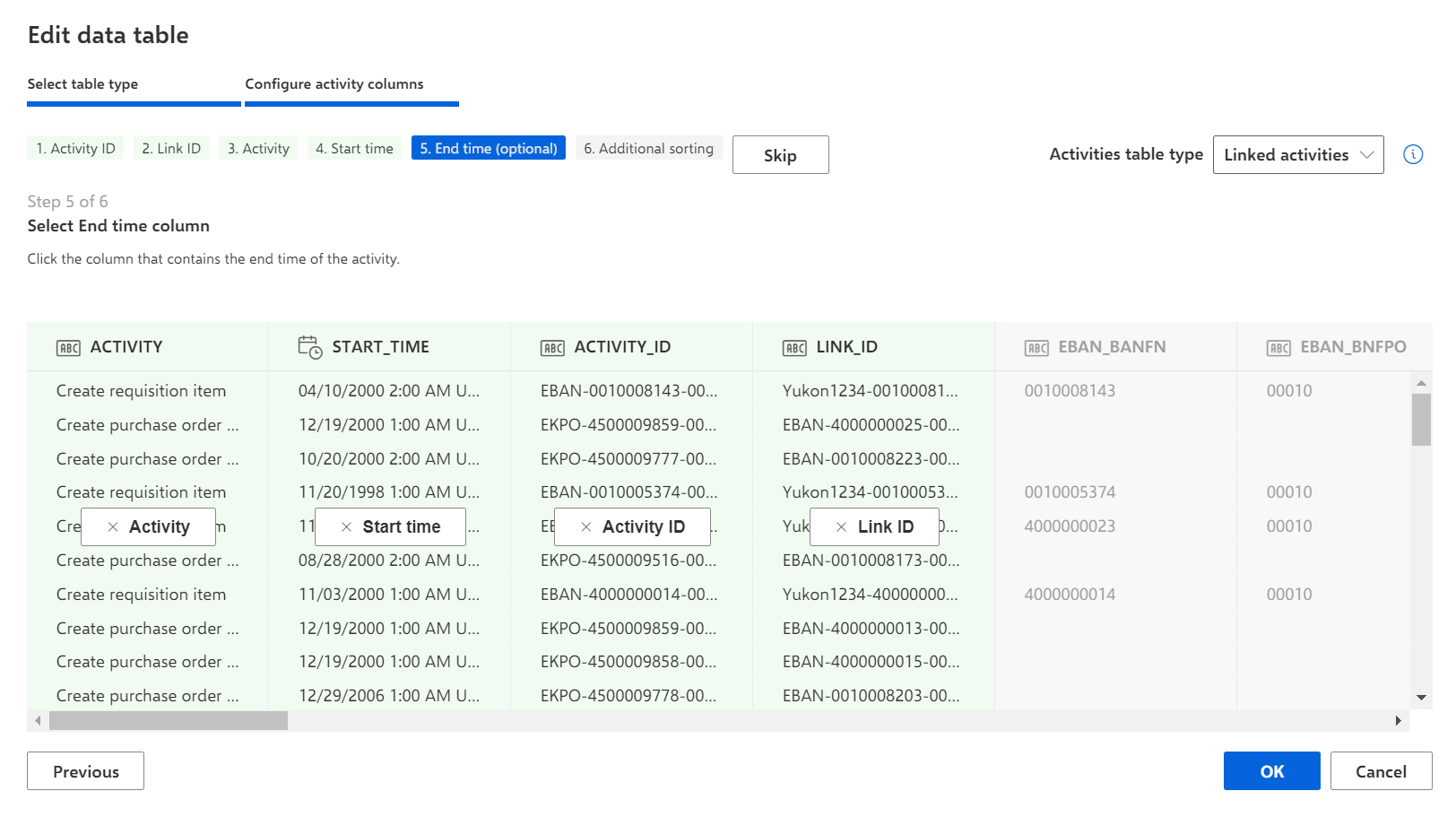
Click OK.
You have defined the selected table as an activity table and specified column roles.
You can now specify the enhancement tables for the data model.