Create an activity table for purchase order items
Create a transformation statement that creates an activity table with activities for purchase order items.
The statement reads the documents of purchase order items that are stored in the EKPO table extracted from the SAP source system.
The procedure is similar to the one described in the Create activity table for purchase requisition items chapter.
Note the following points, which are different from the previous procedure:
Select the data from the EKPO table.
Create Create purchase order item activities.
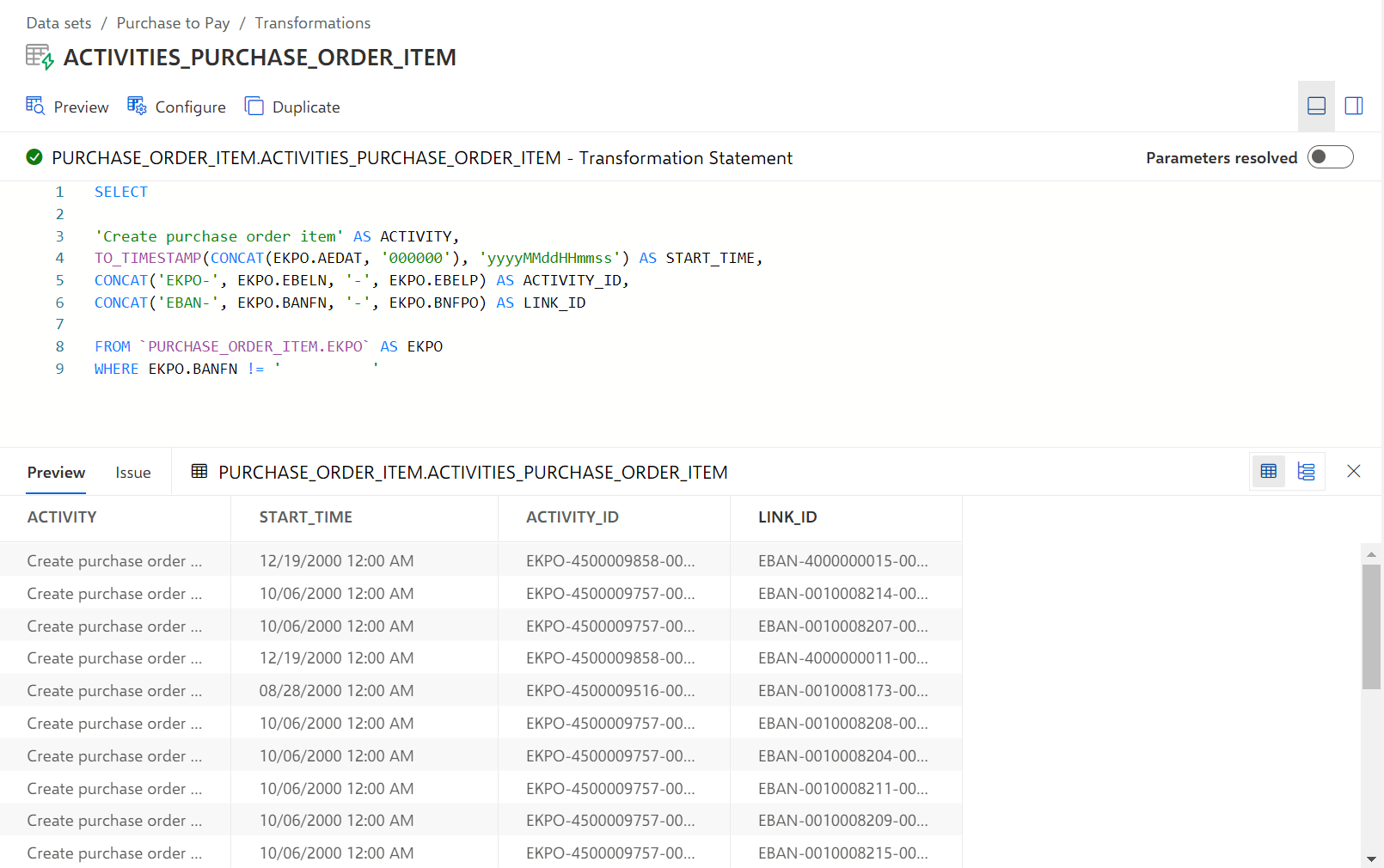
The CONCAT('EBAN-', EKPO.BANFN, '-', EKPO.BNFPO) AS LINK_ID line adds a concrete LINK_ID for activities of the type 'Create purchase order item'. The definition of the LINK_ID is similar to the definition of the ACTIVITY_ID.
The WHERE EKPO.BANFN != '' line filters the source table for rows with existing column value for the BANFN column.
Use the Preview option to check the result table with all Create purchase order activities.
The resulting statement looks like this:
Here you can find the sample transformation statement as an SQL code snippet. You can use the snippet to follow the described example: