Get an overview of the triggered insights
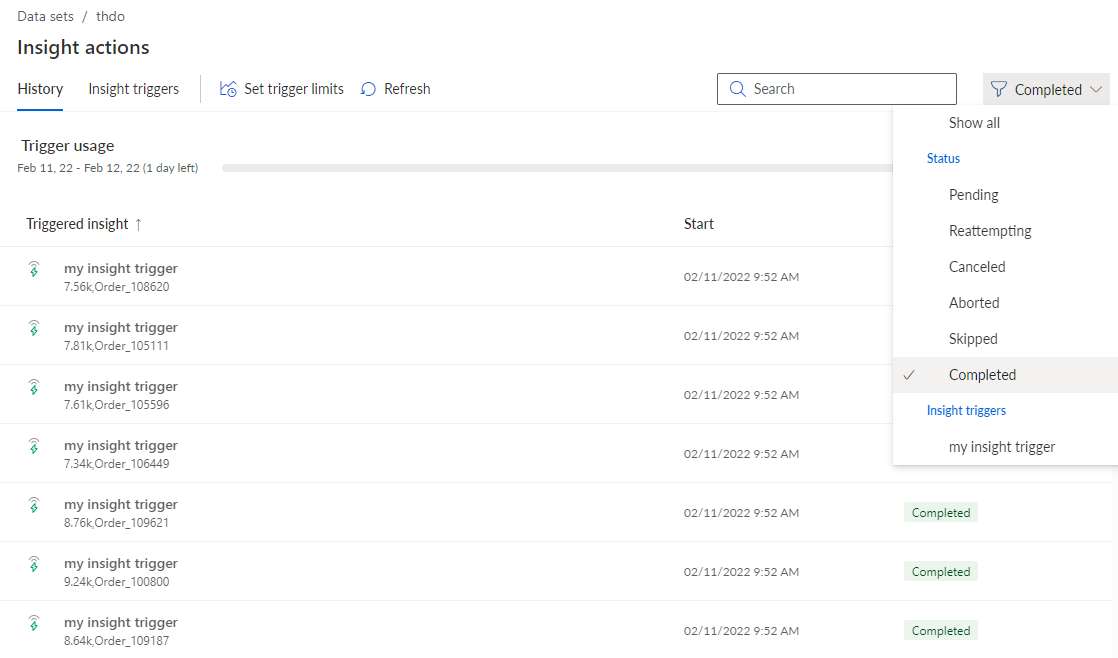
The History page of the Insight actions section shows you all triggered insights and their current status.
Click Insight actions in the Data set panel. The Insight actions sections opens with the History page. By default, the page displays all insights for all specified insight triggers.
You can filter the insights by their status and insight trigger to reduce the number of insights displayed.
Click the
 filter icon and select one or more filter criteria.
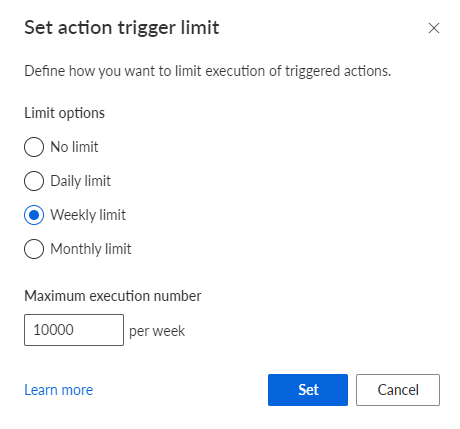
You can limit the number of trigger actions per period, for example, the number of executed actions per day or week.
Click
 Set trigger limits.
Select a limit option, such as a daily or weekly limit.
Specify the maximum number of actions triggered per period in the Maximum number of executions input field.
Click Set.
The history shows the completed triggers when they were started.