Share bookmarks
You can share bookmarks with other users. Shared bookmarks are listed on the Shared tab of the Bookmarks panel. The tab lists bookmarks that you share with other users and bookmarks shared by other users.
Users who recieved new shared bookmarks are informed by different notifications. The  icon of the Shared tab, for example, on the ARIS Process Mining Home page and on the Bookmark panel is highlighted with an additional dot. The number of newly shared or unread bookmarks is also displayed next to the tab title. When the user opens some of the new shared bookmarks, the number in the notification is adjusted accordingly.
Prerequisite
You saved an analysis as a bookmark.
Open a tab of the bookmarks panel. You can share bookmarks displayed on the Current, My assets, and Favorites tabs of the Bookmarks panel.
Move the mouse pointer over a bookmark and click the
Share icon. The Share bookmark dialog opens.Example
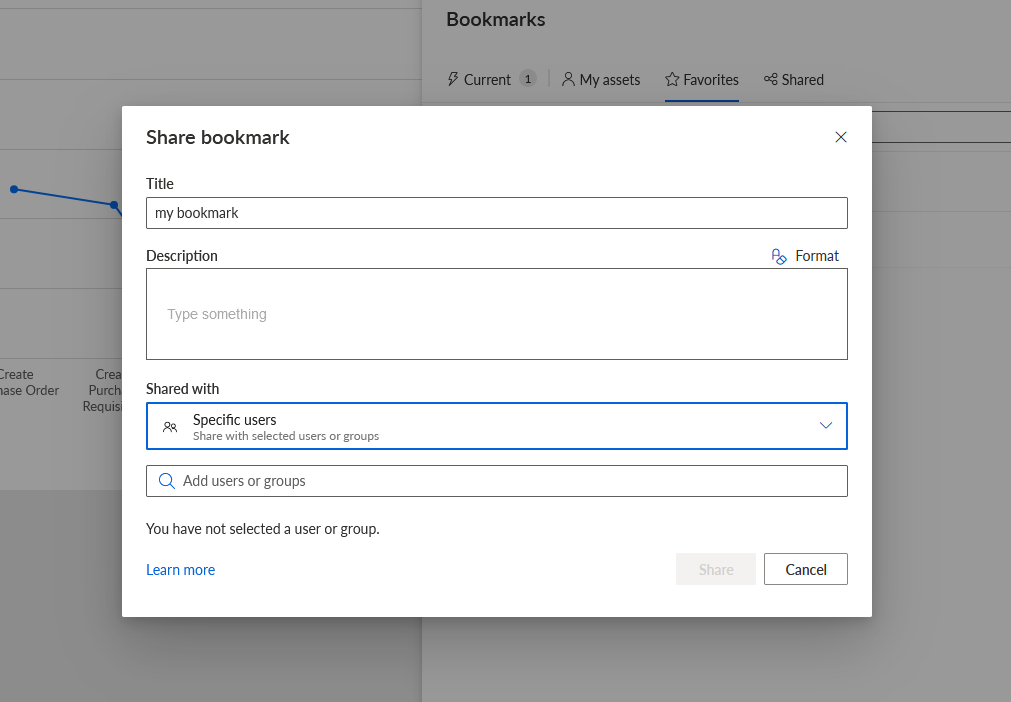
You can edit the bookmark title and description.
To share the bookmark with specific users, select Specific users in the Share with drop-down menu.
Enter the names of the users or user groups in the displayed input field. The specified users and groups are displayed below the input field.
Example
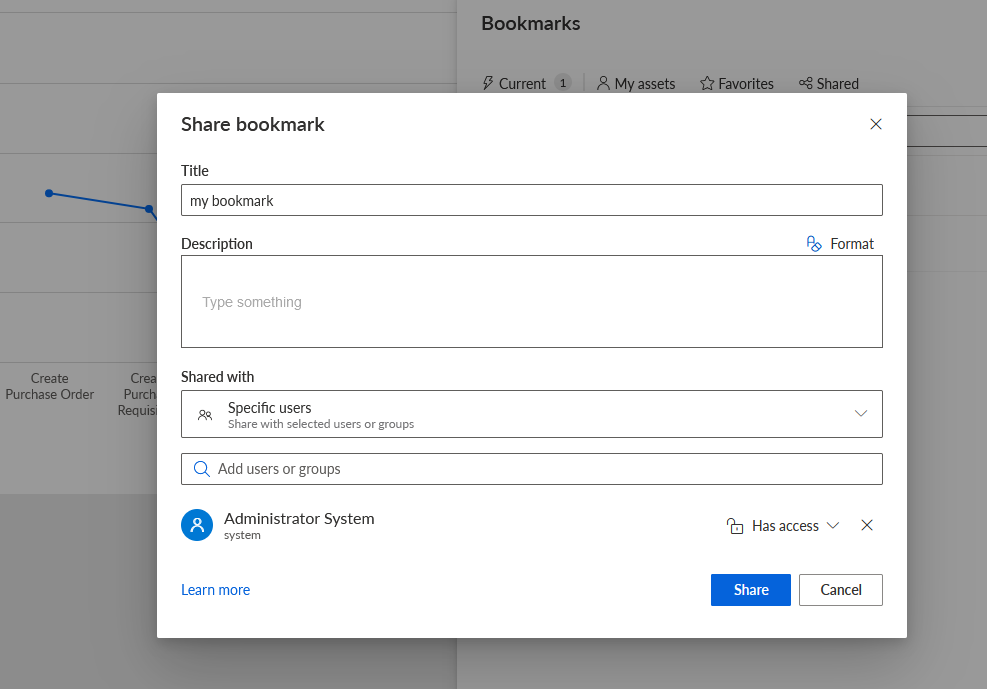
Click Has access to specify the access privileges of a user or group.Specify the access privileges.
Example
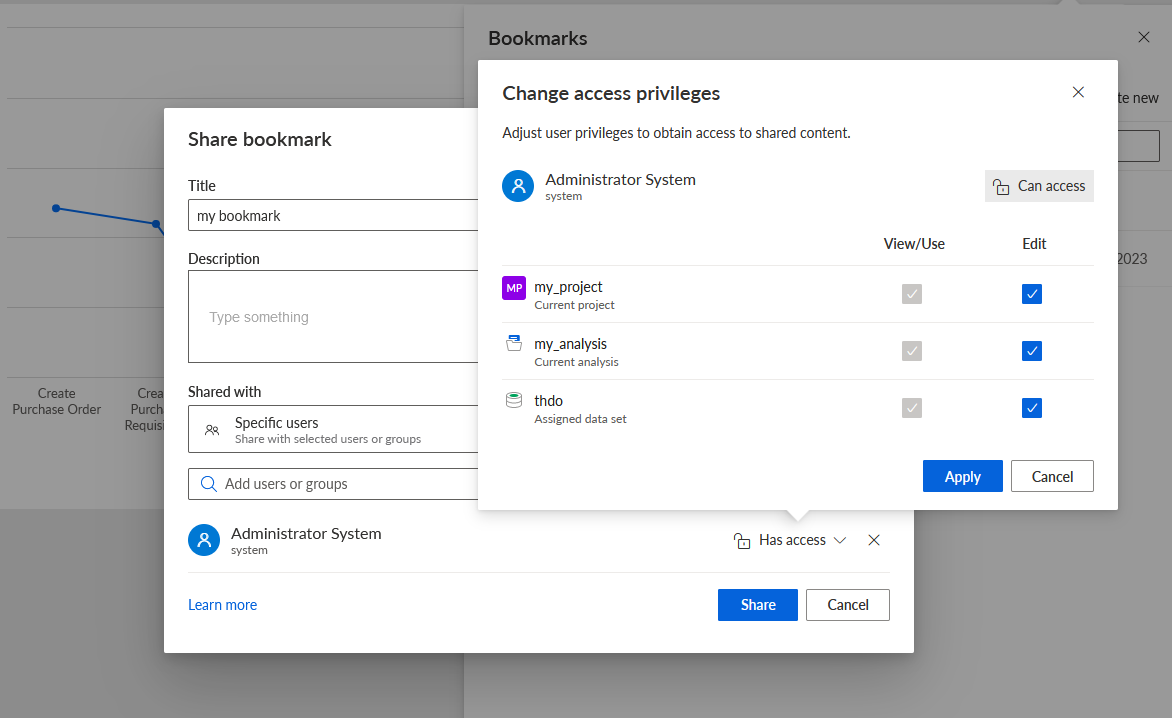
To share the bookmark with all users and user groups with access to the current analysis, select Users with access privilege in the Share with drop-down menu.
To share the bookmark with all users, select Public access in the Share with drop-down menu.
Click Share. A dialog opens.
To copy the link of the bookmark to the clipboard, click Copy.
Click Done.
You shared a bookmark with other users and configured the access privilege.
Tip
You can also access the Share bookmark dialog by clicking the Share icon directly in the analysis header.
You can revoke a shared bookmark. Move the mouse pointer over a shared bookmark, click the ... More options icon > Revoke share. The shared bookmark is removed from the Shared tab.
You can also use a link to share a bookmark with other users.