Edit bookmarks
You can edit bookmark properties, including the title, description, and analysis settings saved in the bookmark.
Prerequisite
You saved an analysis as a bookmark.
Procedure. Procedure
Open a tab of the bookmarks panel.
Move the mouse pointer over a bookmark and click the ...More options icon.
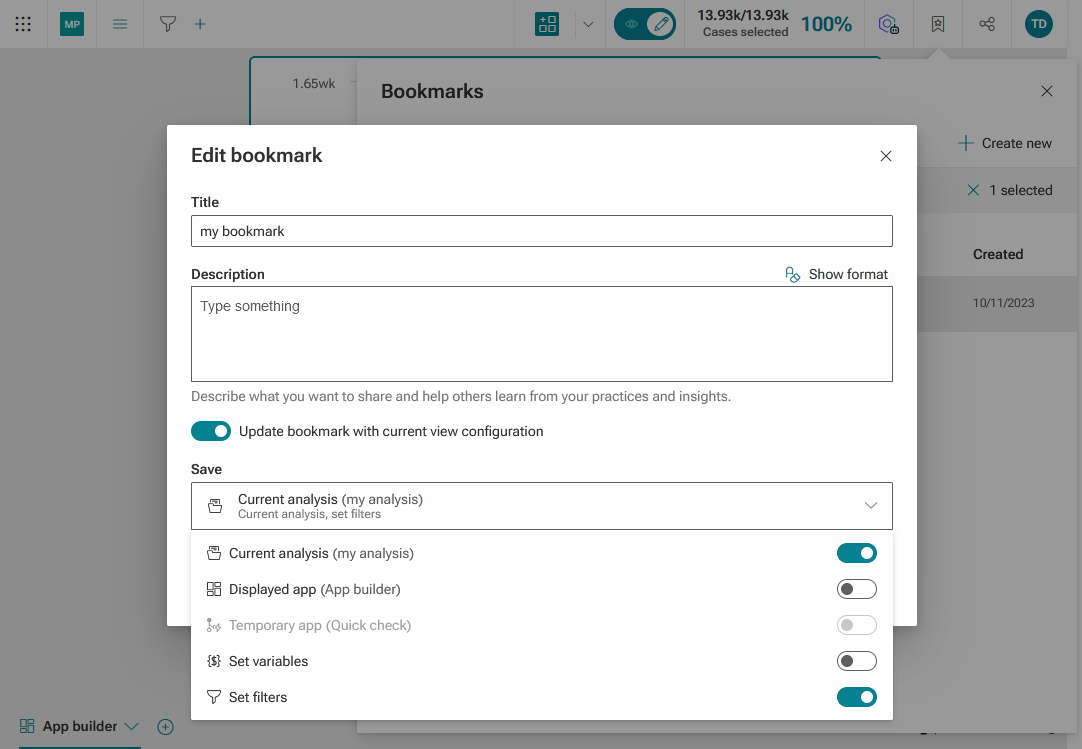
Click Edit bookmark. The Edit bookmark dialog opens.
Make your settings.
To change the analysis settings saved in the bookmark, enable Update bookmark with current view configuration. The Save box is displayed.
Enable or disable the settings to save in the bookmark.
Click Update.
Your changes are saved in the bookmark.
To delete a bookmark, move the mouse pointer over a bookmark, click the ...More options icon > Delete.
Warning
Deleted bookmarks cannot be restored.