Insert a variable in a text field
You can insert a variable in a text field, such as a component title.
You can use variables in the following elements and components.
Title and subtitle
Any documentation field
Text component
Add a component to an app, for example, a Text component.
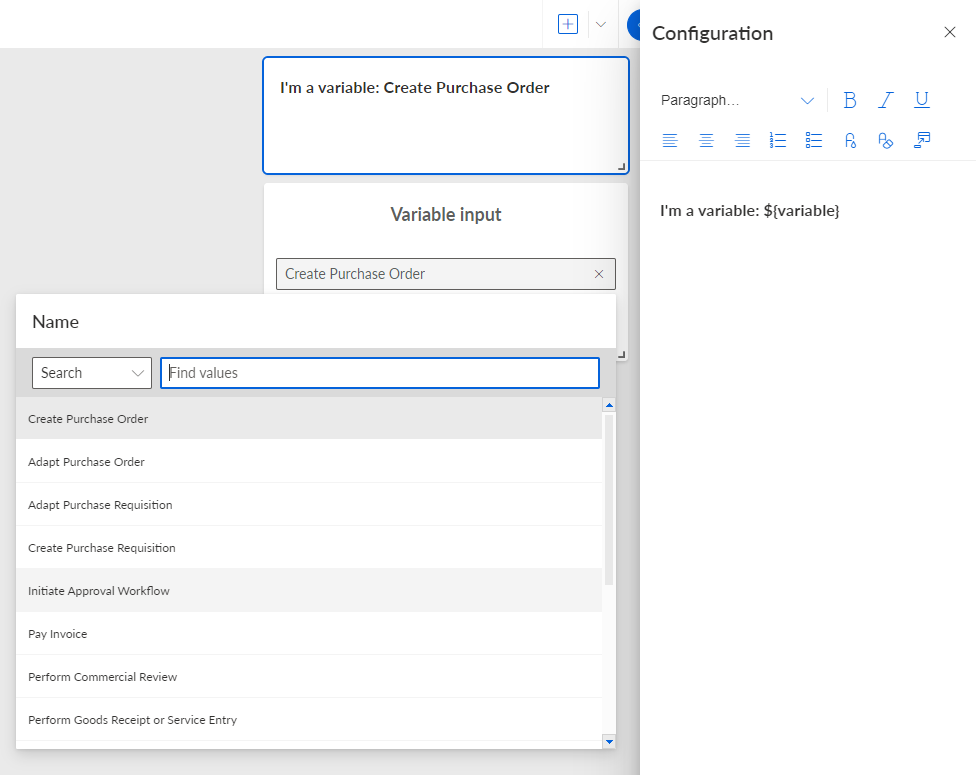
Type text in a text field and specify a variable reference. To use the variable in a text field, you must reference the variable with the placeholder name you specified: ${<placeholder name>}, for example ${selectedDate}.
You have inserted a variable in a text field of a component.
You can format variables in a text field like any other text, except that you may not use different text formats within a variable.
The Text component contains a variable and receives the variable values from the Input component via a drop-down menu.