Examples
The following examples show how ARIS Process Mining calculates the ratio aggregation of measures.
The calculation is based on the following criteria.
Case | Problem type | Priority | Severity |
|---|---|---|---|
Case A | P1 | 1 | High |
Case B | P1 | 3 | High |
Case C | P2 | 3 | Medium |
Case D | 1 | ||
Case E | P3 | 3 | High |
Case F | P3 | 3 | High |
Example 1
What is the ratio of cases that belongs to problem type P1 relative to all cases?
You must specify the following settings:
Measure: Problem type
Aggregation: Ratio
Operator: EQUALS TO
Measure value: P1 of the
 Text type
Value: Number of cases
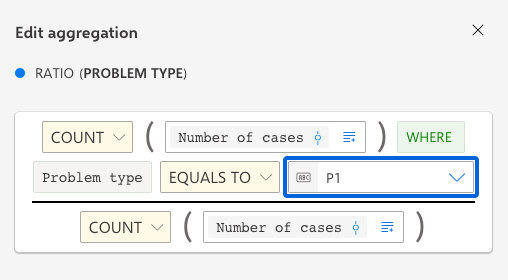
This configuration leads to the following result:
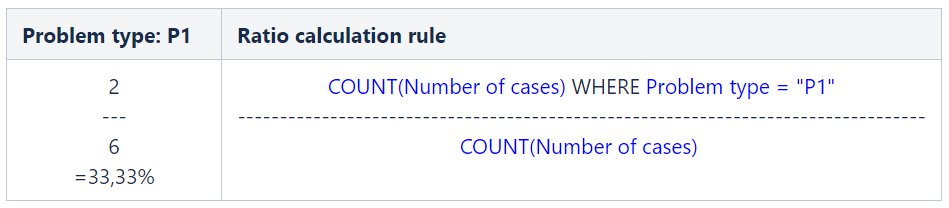
33.33% of all cases belongs to problem type P1.
The measure ratio is calculated in the following way:
Example 2
What is the ratio of cases for which no Problem exists relative to all cases?
You must specify the following settings:
Measure: Problem type
Aggregation: Ratio
Operator: DOES NOT EXIST
Value: Number of cases
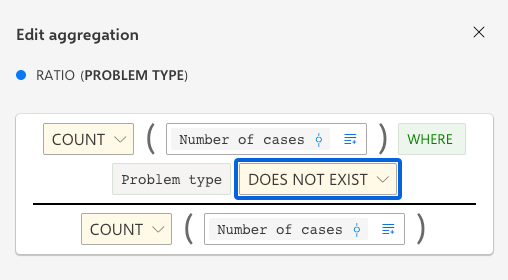
This configuration leads to the following result:
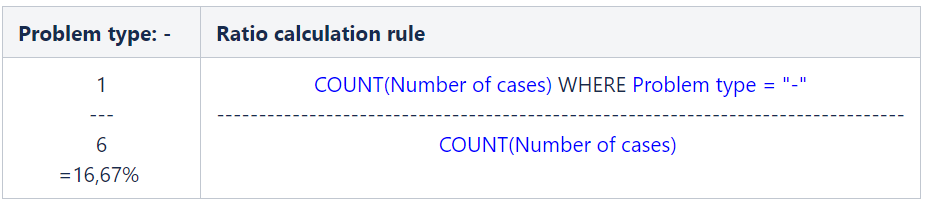
For 16.67% of all cases no problem exists.
The measure ratio is calculated in the following way:
Example 3
What is the ratio of cases that belong to problem the type P3 relative to all cases for which a problem exists?
You must specify the following settings:
Measure: Problem type
Aggregation: Ratio
Operator: EQUALS TO
Measure value: P3 of the
Text typeValue: Problem type
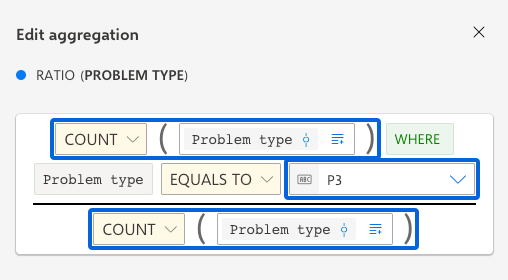
This configuration leads to the following result:
40% of all cases for which a problem exists belong to the problem type P3.
The measure ratio is calculated in the following way:
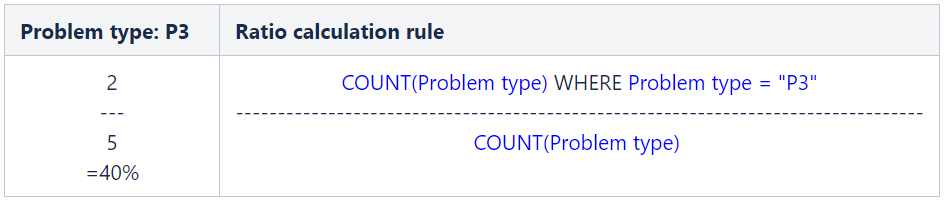
Note that CASE D is not counted in the calculation because the problem type of CASE D is empty.
For the various combinations of the Problem type and Priority dimensions, what is the ratio of cases to which the severity High applies relative to the other cases?
You must specify the following settings:
Dimensions: Problem type and Priority (You can add the dimensions on the Configuration panel.)
Measure: Severity
Aggregation: Ratio
Operator: EQUALS TO
Value for the COUNT operator: Number of activities
Measure value for EQUALS TO operator: Severity High of the
Text type
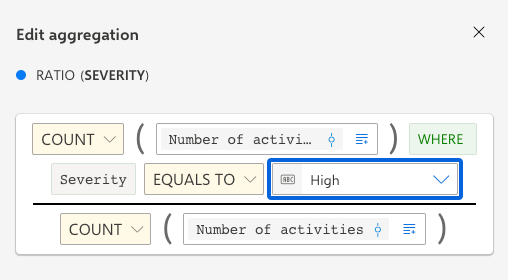
This configuration leads to the following result:
Problem type | Priority | Severity: High |
|---|---|---|
P1 | 1 | 100% |
P1 | 3 | 100% |
P2 | 3 | 0% |
P3 | 3 | 50% |
- | 1 | 0% |
The measure ratio is calculated in the following way:
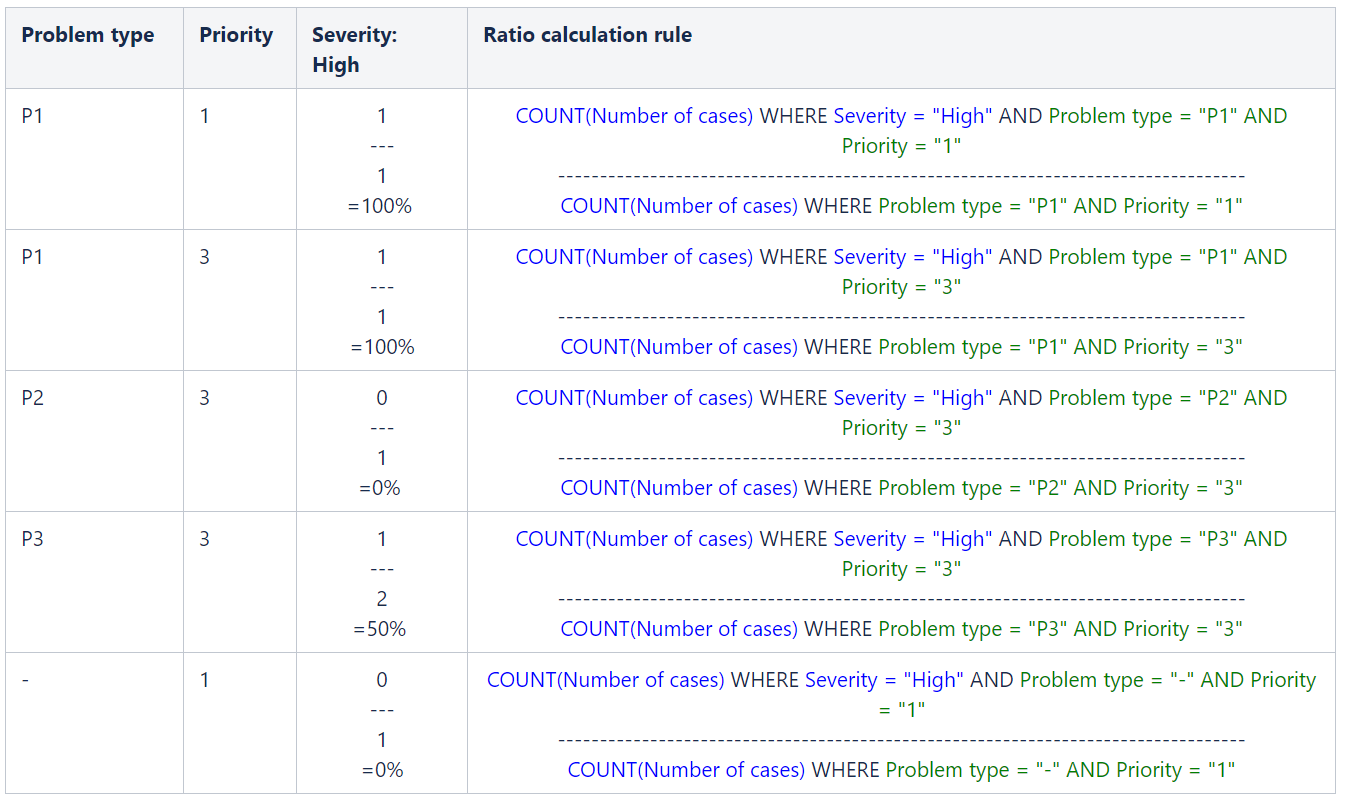
The blue parts of the ratio calculation rule originate from the ratio configuration.
The green parts of the ratio calculation rule are determined by the additional queried dimensions and their values for the particular row.
The result for the ratio is always calculated within the scope of the existing dimensions, as shown in the example above.