Examples
The following examples show how ARIS Process Mining calculates the percentage share of measure values.
The calculation is based on the following dimensions (product and color), measures (costs), and activities.
Product | Color | Activity | Costs |
|---|---|---|---|
Product A | Red | ||
Activity A | 1000 | ||
Activity B | 2000 | ||
Activity C | 3000 | ||
Product A | Green | ||
Activity A | 500 | ||
Activity B | 800 | ||
Product B | Red | ||
Activity A | 4000 | ||
Activity B | 6000 | ||
Activity C | 8000 | ||
Product C | Yellow | ||
Activity A | 1000 | ||
Product C | Yellow | ||
Activity A | 1500 | ||
Activity B | 1200 |
Percentage share of the total cost
What is the percentage share of the total cost for the various products?
You must specify the following settings:
Dimension: Product
Measure: Costs
Aggregation of the measure: SUM
Ensure that the Display as percentage share option is enabled.
If the option is enabled, the formatting for the measure is automatically set to Percentage.
Base (100% value) for share calculation: (SUM) Costs
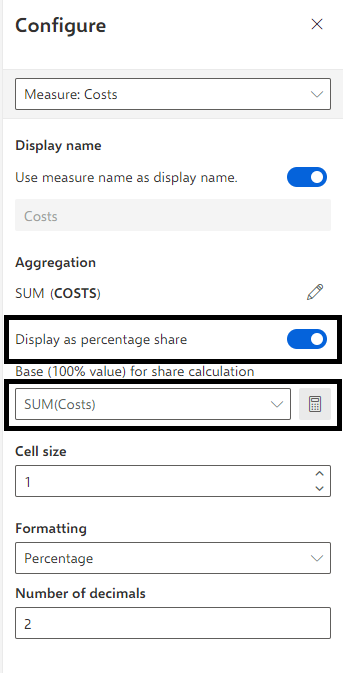
This configuration leads to the following result:
Product | Costs as a percentage |
|---|---|
Product A | 25.17% |
Product B | 62.07% |
Product C | 12.76% |
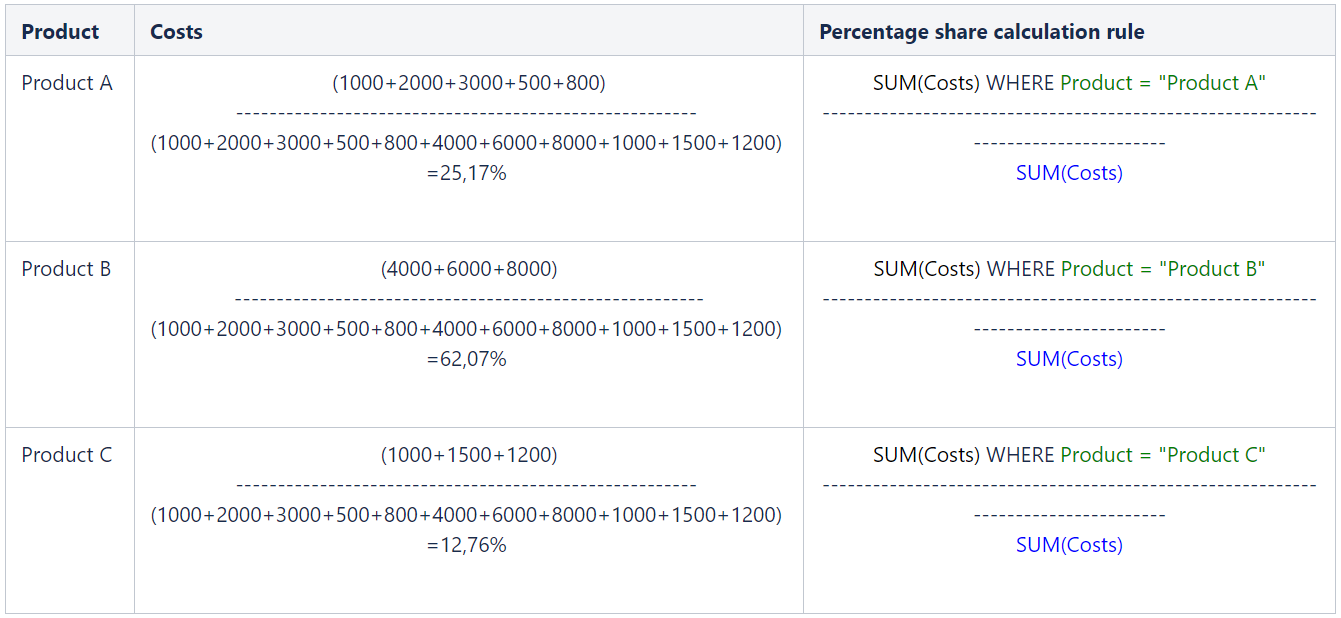
The costs as a percentage share are calculated in the following way:
Percentage share of specific products
What is the current goal accomplishment for the created products with a certain type and color if two products of different types with the same color would be the 100% goal?
You must specify the following settings to calculate the number of products per type and color:
Dimensions: Product and Color
Measure: Number of cases
Aggregation of the measure: SUM
Display as percentage share option is enabled.
If the option is enabled, the formatting for the measure is automatically set to Percentage.
Base (100% value) for share calculation: (SUM) Costs
Enter the constant value 2.
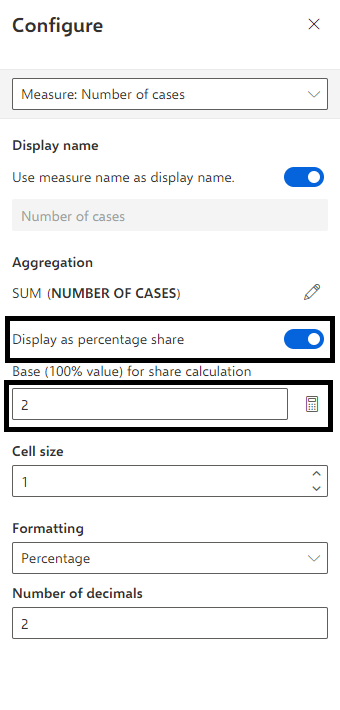
This configuration leads to the following result:
Product | Color | Number of cases |
|---|---|---|
Product A | Red | 50% |
Product A | Green | 50% |
Product B | Red | 50% |
Product C | Yellow | 100% |
The number of cases as a percentage share are calculated in the following way:
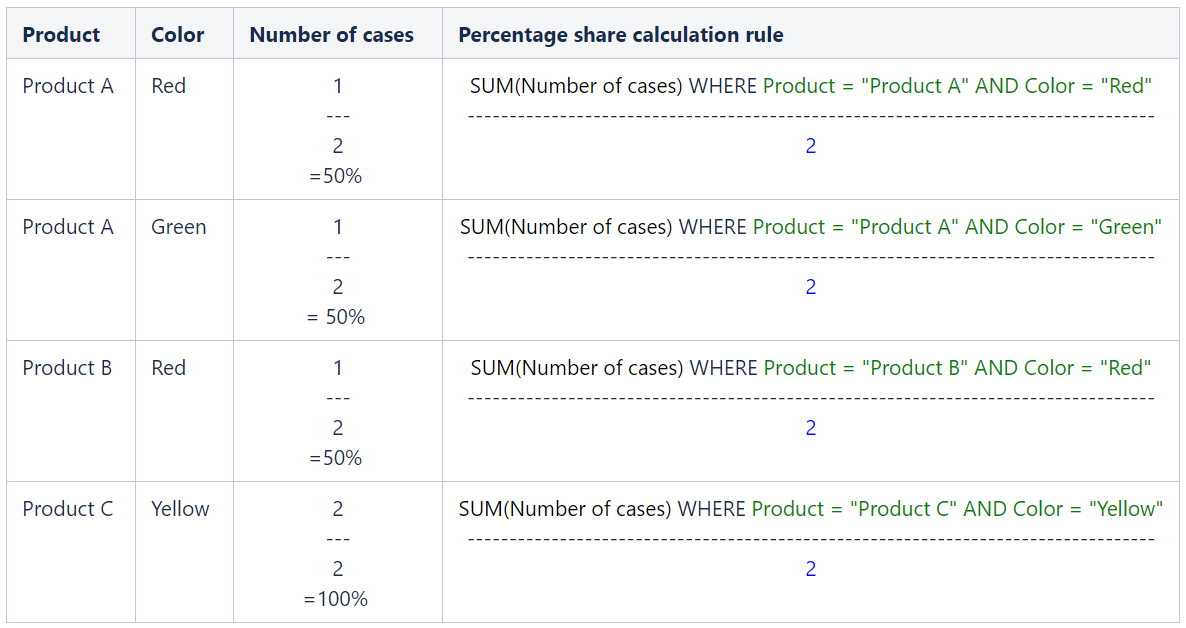
Blue parts of the percentage share calculation rule originate from the percentage share configuration.
Green parts of the percentage share calculation rule are determined by the additional queried dimensions and their values for that particular row.
If “Display as percentage share” uses a measure calculation, the result of this measure calculation never includes the scope of any dimension buckets, regardless of which combination of dimensions is used in the query. That means that the measure calculation is done for all cases, activities, or connections (no green parts in the denominator). Only the global filters are applied.