Publish the process model overlay configuration_new
You can publish your Process model overlay configuration and make the configuration available for the BPMN or EPC model in ARIS. The configuration includes, among other things, the specified filter fields, the quick filter including the value selection you specified, and the currently used event log. When you use the ARIS Process Mining overlay panel in ARIS, the corresponding requested data is transferred from ARIS Process Mining to ARIS. You can create multiple configurations, for example, with different analysis criteria, for the same process model. However, if you want to create multiple overlay configurations, you must use a separate Process model overlay app for each overlay configuration, as an app can only use one published configuration. All published configurations are available and selectable for your analyses in ARIS.
Prerequisites
You have configured the analysis in the Process model overlay app.
Open the configured Process model overlay app.
Click
 Open Edit mode in the analysis header to open the analysis in edit mode. By default, the analysis opens in view mode (
 ).
).Example
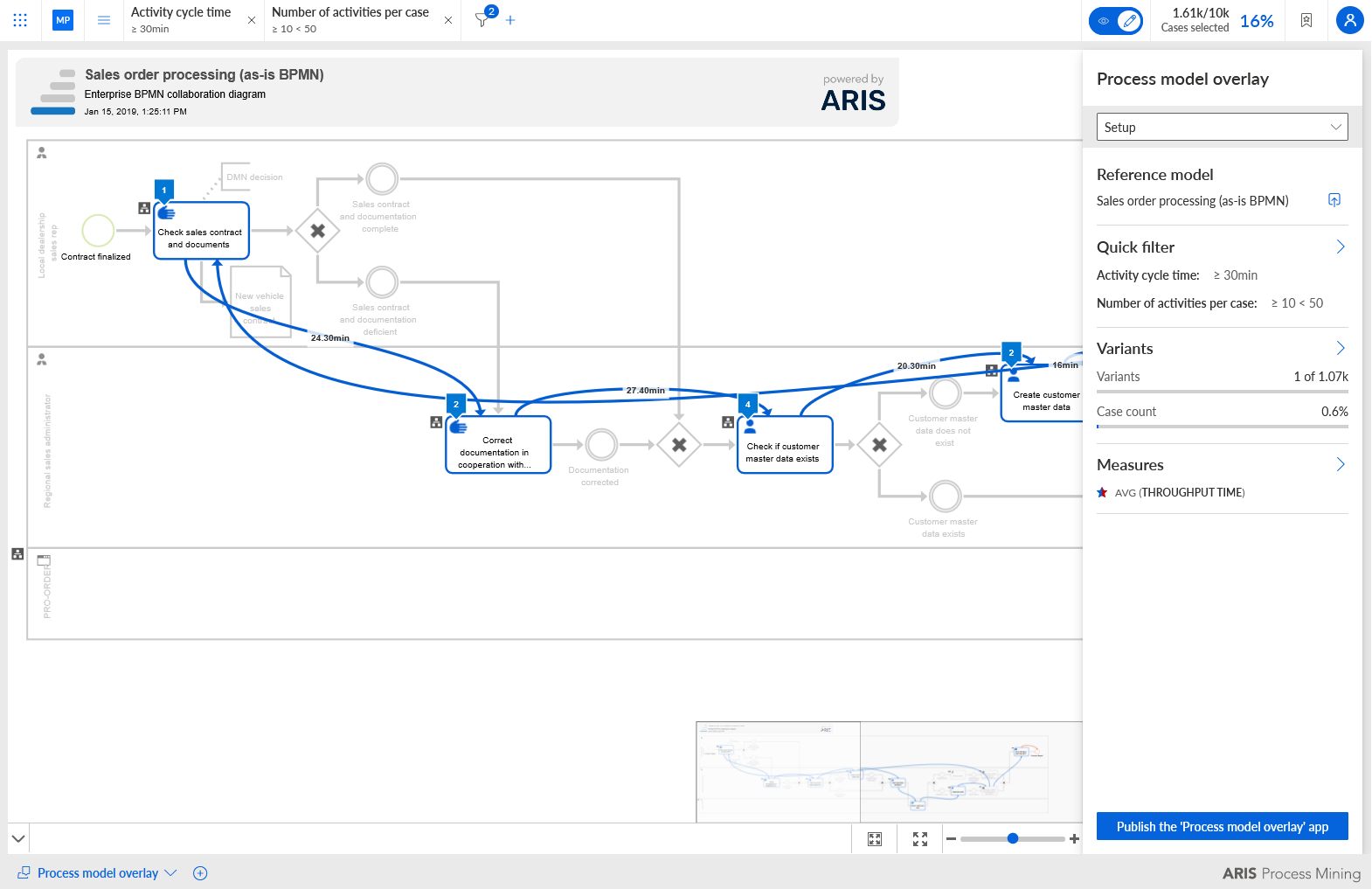
Click Publish the 'Process model overlay' app in the Process model overlay panel. The Publish configuration dialog opens.
Enter a name, for example, my ARIS Process model overlay.
Click Publish.
The Process model overlay app configuration is published and available for the reference model in ARIS.
Click the Open published model icon in the Process model overlay panel. ARIS opens with the BPMN or EPC model you transferred as reference model to ARIS Process Mining.
Example
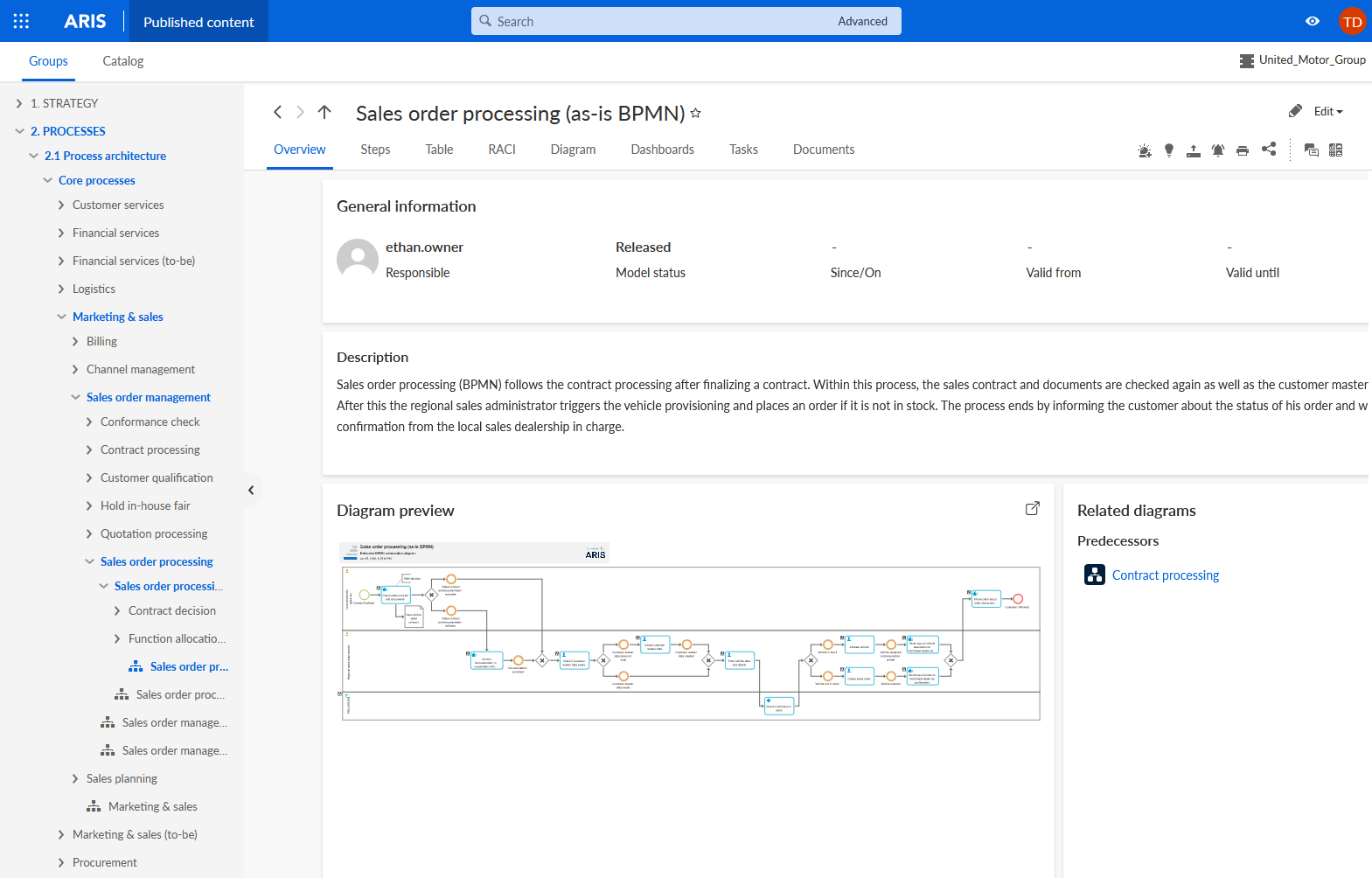
Open the Diagram tab of the model.
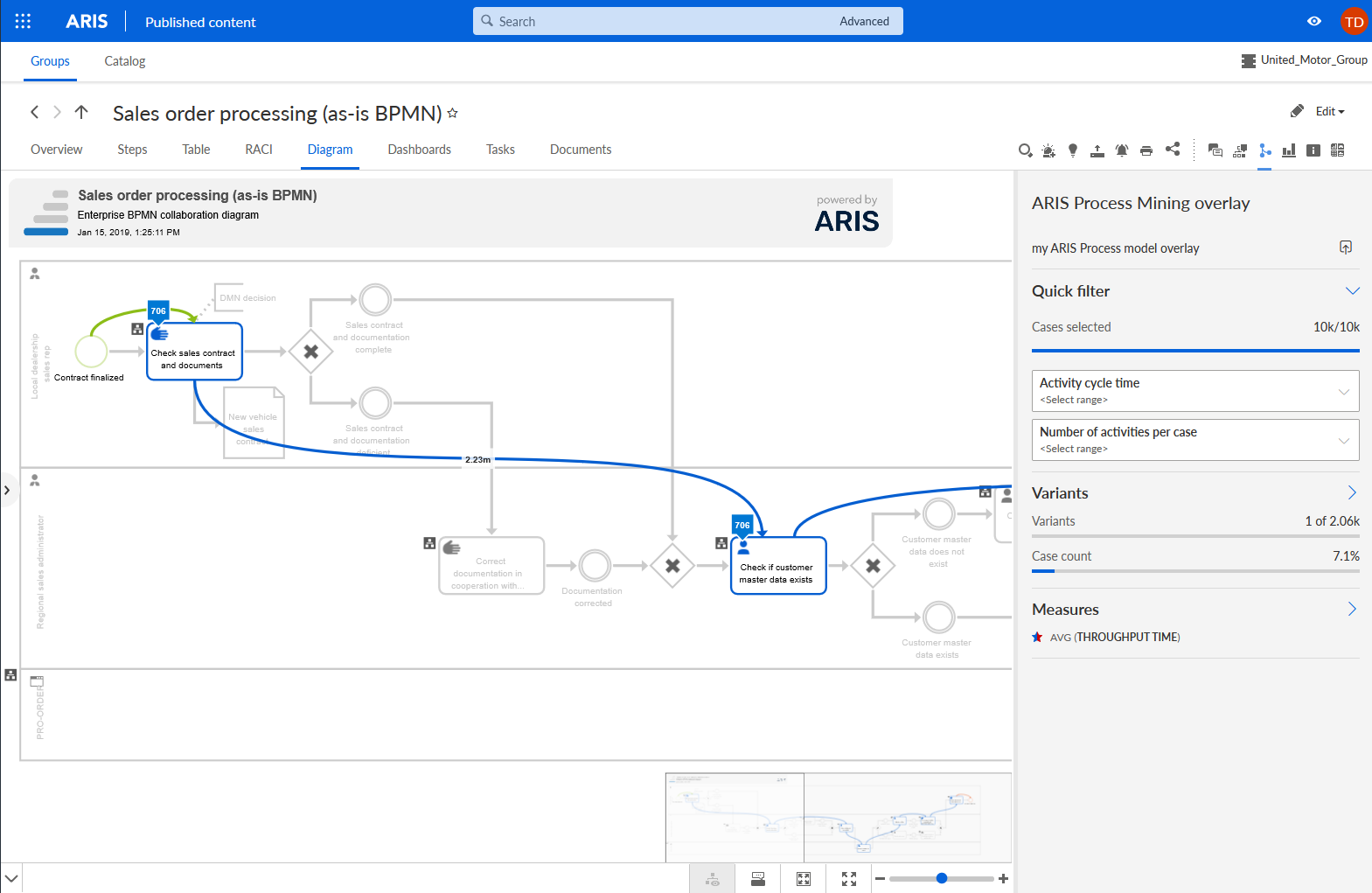
Click the ARIS Process Mining overlay icon. The ARIS Process Mining overlay panel opens.
In the Overlay configuration drop-down menu, select the published overlay configuration, for example, the my ARIS Process Mining overlay configuration. The drop-down menu is only available if there is more than one overlay configuration. The ARIS Process Mining overlay panel provides the analysis criteria, process variants, and quick filters according to the configuration you made.
You published the Process model overlay configuration and made it available in ARIS.
You can change the model overlay configuration in ARIS Process Mining and republish it. To do this, click the Go to ARIS Process Mining icon in the ARIS Process Mining overlay panel. ARIS Process Mining opens. Change your settings and click Republish model overlay in the Process model overlay panel.
Example