Create a connection in the data set
Before you can transfer data to ARIS Process Mining using the data ingestion API, you must create a corresponding connection for the data set where the transferred data is stored. You create a connection to the API client using the system integration you created.
Click the
 Navigation menu icon in the program header.
Select
 Data collection. The Data collection opens and shows the Data sets page.
If you have already opened a data set, the recently opened data set is opened. Click
 Back in the Data set panel to open the Data set page.
Click the data set on the Data sets page. The selected data set opens.
Open the Connections component.
Click Add connection. If you add a connection to a source system for the first time and you have not assigned a 'Living Process' license to the data set yet, the Assign ‘Living Process’ license dialog opens.
Select a license in the drop-down menu. You need the ‘Living Process’ license to extract and analyze processes. The number of processes you can extract depends on the selected license.
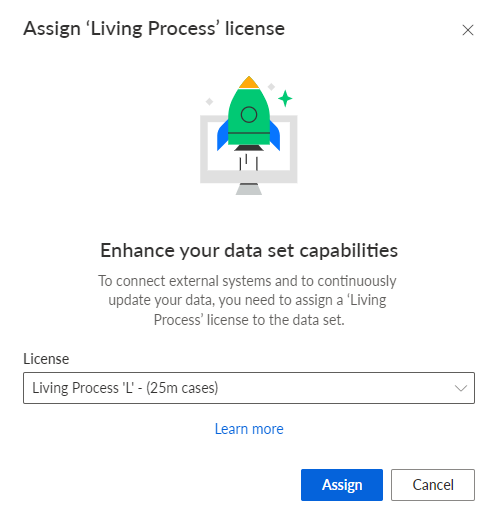
Click Assign. The Add connection dialog opens.
Configure the connection.
Enter a unique name for the connection to the source system, for example, Data ingestion.
Select the system integration created for the data ingestion API.
Click Add.
You have created a connection for the API. The created connection is displayed on the Connections page with the settings you specified.