Duplicate a transformation
You can duplicate an existing transformation, including the settings and transformation statement.
Open the Transformations section of a data set, for example, the Purchase to Pay data set.
Move the mouse pointer over a transformation and enable the corresponding check box to select the transformation, for example, the DIM_PURCHASE_ORDER_ITEM transformation.
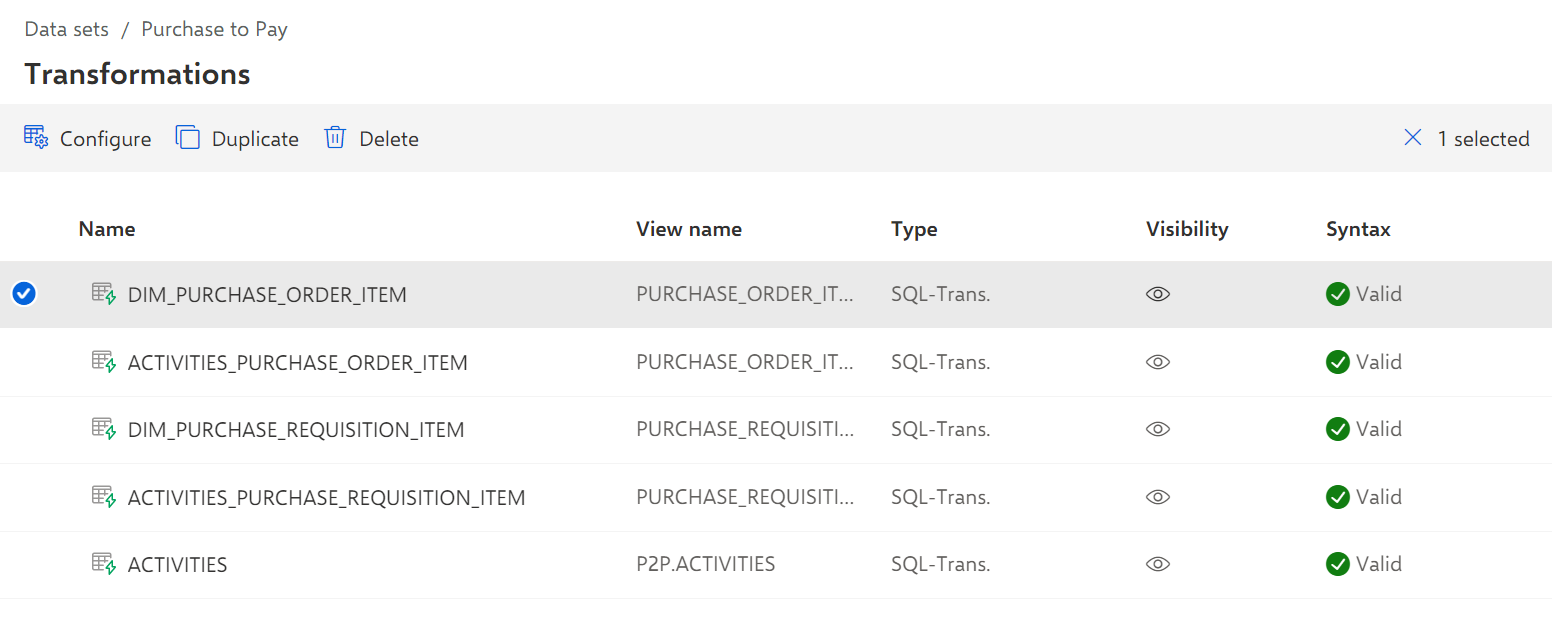
Click Duplicate. The Duplicate transformation dialog opens.
Make your settings.
Enter a name. The name must be unique, for example, DIM_PURCHASE_ORDER_ITEM_NEW.
Enter a view name, for example, DIM_PURCHASE_ORDER_ITEM_NEW. The view name is displayed in the list of created transformations.
Enter a view namespace, for example, PURCHASE_ORDER_ITEM. The view namespace is used to sort and summarize the created transformations.
Note that "_ARIS" is not allowed as a namespace.
If you want to hide the transformation in the data model, disable the Is visible in data model option.
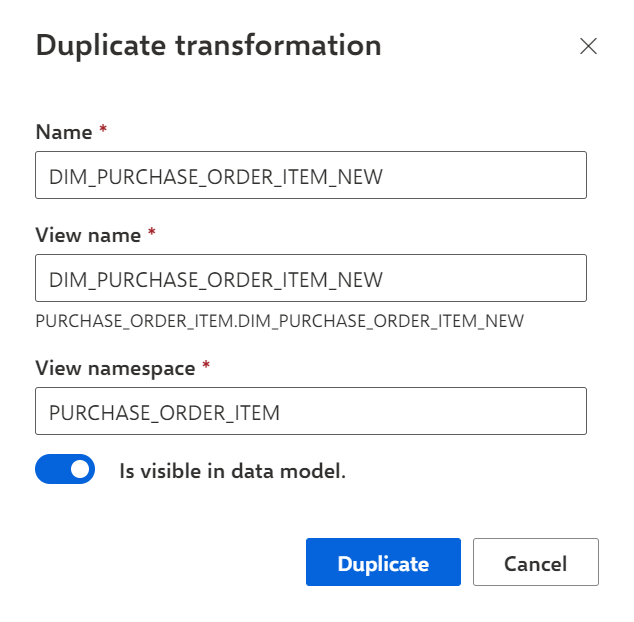
Click Duplicate.
Your settings are applied. The selected transformation is duplicated and available on the Transformations page.