Use event logs
You can use specific event logs for your analyses, for example, a modified default event log as the basis for your calculations. By default, only the default event log is available and automatically used as the basis for all your analyses. If you created custom event logs, the event logs are provided in the  Event log drop-down menu in your analyses.
All your analyses are based on the currently activated event log that is preselected in the Event log menu. However, you can select a different event log to be applied to the current analysis on an ad-hoc basis. If you close and reopen the analysis, or reload the browser tab, the activated event log is applied again.
Prerequisite
You have created at least one event log.
Open an app or add an app to the analysis. If you created your custom event logs, all event logs including the default event log are available in the
Event log drop-down menu in the analysis header. If there is no custom event log, the Event log drop-down menu is not available. The activated event log is preselected and applied by default.You can change the event log that is activated by default.
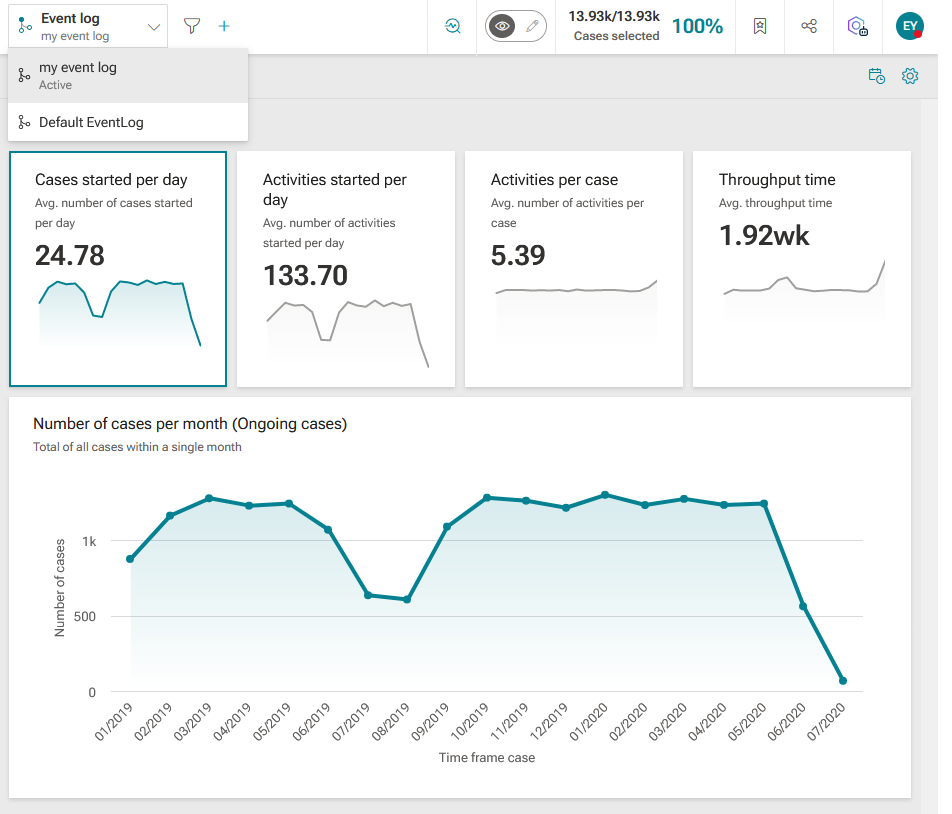
Select an event log in the
Event log drop-down menu. By default, the selected event log is applied to all apps of the current analysis.To display a tooltip, move the mouse pointer over an event log in the menu.
You selected an event log and applied it to the current analysis.
Note that if you save your analysis as a bookmark, your event log settings are saved as a filter.