Analyze process variants
In addition to the process measure analysis, you can analyze the behavior of process variants. By default, the analysis shows a cumulative process, that includes all or some of the process variants that occurred. The variant analysis helps you to analyze the structure of the different process variants down to the individual case. It allows you to compare different processes to identify possible flaws in a process.
Click the
 icon next to Variants in the Process model overlay panel. The variant options are displayed.
All available variants of the analyzed process are listed. The most common variant is displayed first.
Example
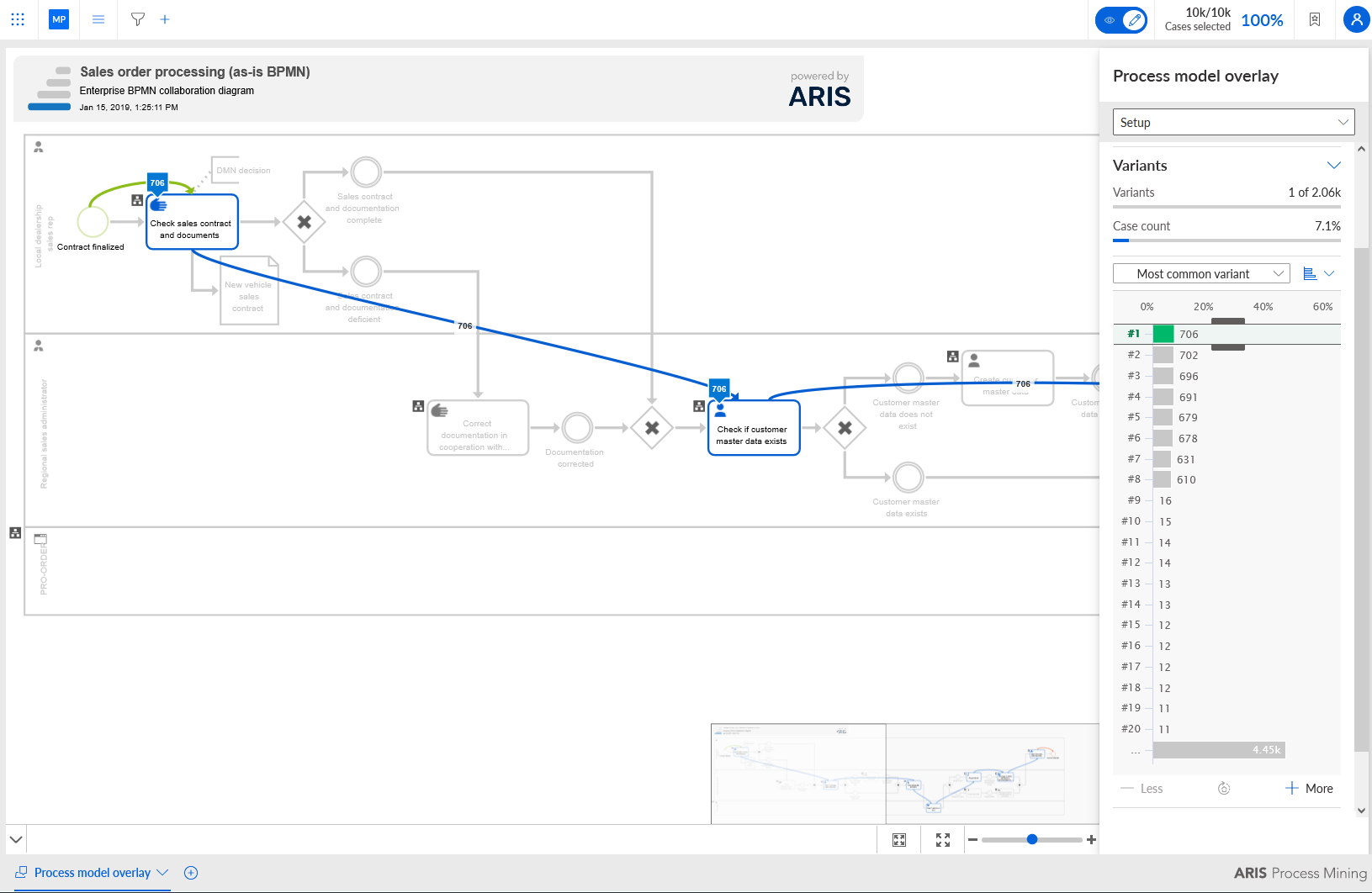
Move the mouse pointer over a variant to display more information in a tooltip.
You can display the variants in bar view or in list view. By default, they are displayed in bar view. Click the Switch variant view icon and select List view.
Example
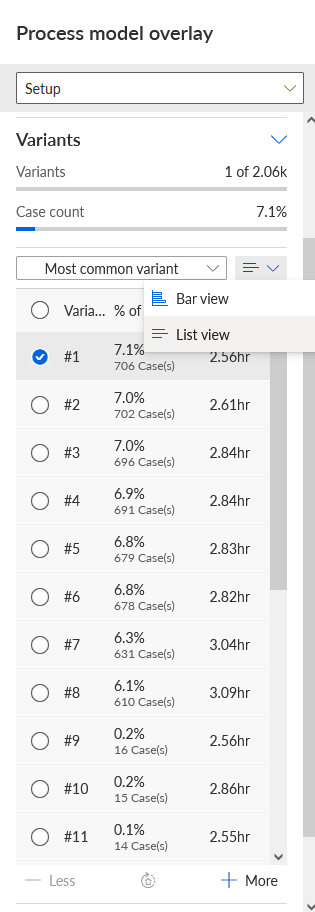
You can change the sort order of the variants. Most common variant is initially set as sort order. Click Most common variant and select a sort order in the drop-down menu.
Most common variant - Lists the variant first that occurs in most cases.
Least common variant - Lists the variant first that occurs in the fewest cases.
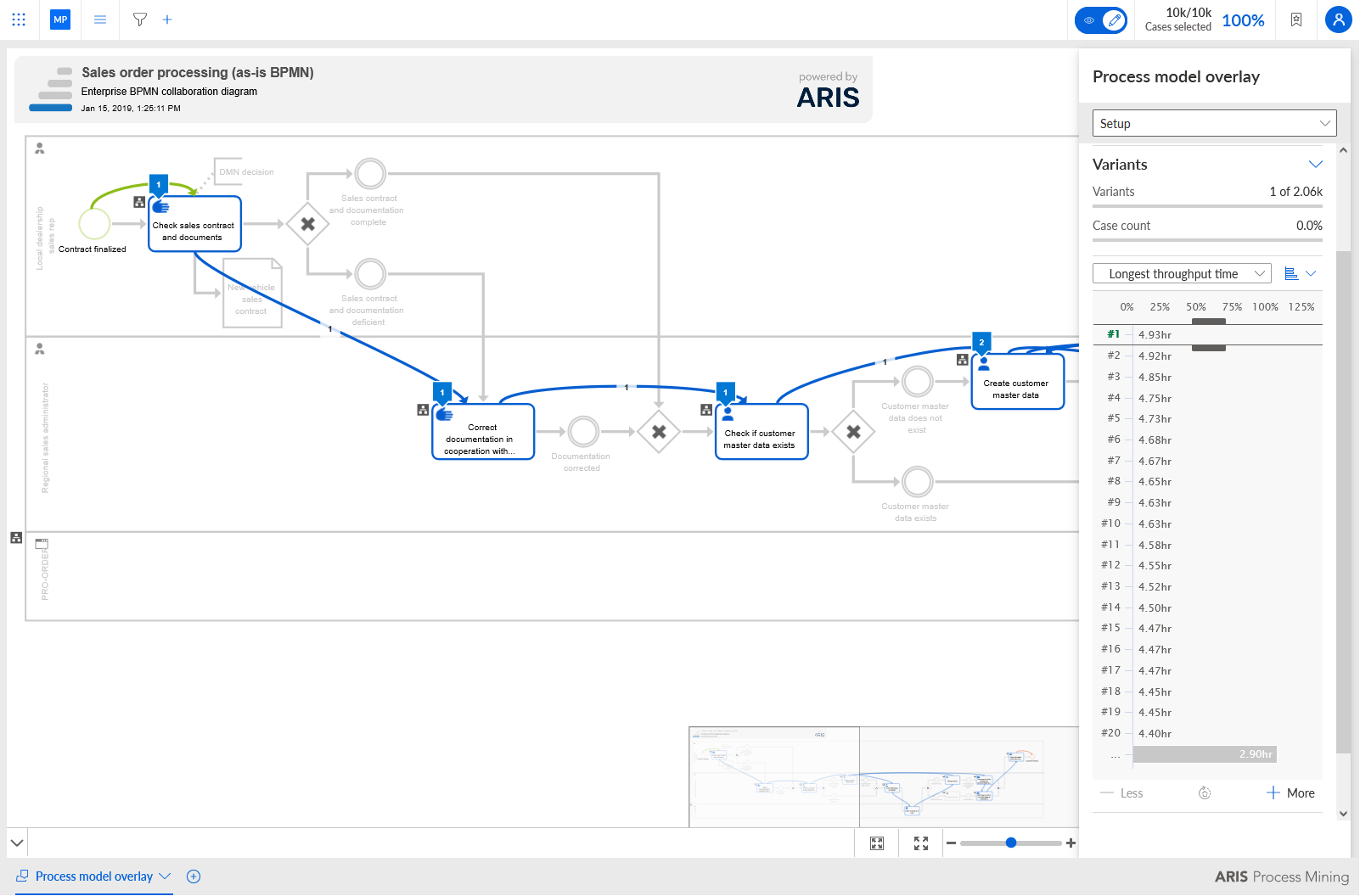
Longest throughput time - Lists the variant with the longest throughput time first.
Shortest throughput time - Lists the variant with the shortest throughput time first.
You can select one or multiple variants in both views. In the bar view, you can select multiple variants using the sliders.
You can increase or reduce the number of variants that are displayed in the panel. Click + More or - Less to set the number of displayed variants.
If there are more variants available than displayed in the panel, the remaining variants are summarized. Click the ... All other variants button below the variants list to select the variants that are not displayed. If you increase or reduce the number of variants that are displayed, the number of remaining variants (Other variants) is automatically adjusted.
Note the following special behavior when you increase or reduce the number of displayed variants.
+ More: All variants that are additionally displayed are marked as selected if the ... Other variants entry is selected before.
- Less: The current selection is discarded, and the first variant is selected (only in bar view).
When all variants are displayed and you reduce the number of variants so that some selected variants are hidden, the current selection is discarded and the first variant is selected.
You specified process variants to analyze.
The following example shows the process variant with the longest throughput time.